Apps Like Video Collage Maker, Effects for iPhone and iPad
Create collages from videos
Create collages from up to 9 videos. Choose from various frames or none. Add visual and music. Use editing tools to customize projects quickly. Access templates for inspiration. Share finished collages directly.
by Craigpark Limited★ 4.3101 ratingsPhoto & VideoFreeData updated 2026-09-15
Edit videos by adding text, music, filters, and sound effects. Apply overlays and voice-overs. Create photo stories animations and artwork. Export final videos in various formats.
Convert videos and photos into live photos with customizable key frames and trimming options. Adjust rotation and flipping settings. Access advanced features via an auto-renewing subscription.
Clips into one with trimming, cropping, and editing tools. Add background music from iTunes or personal recordings. Save to the Photos or share to Facebook, Instagram, YouTube, Dropbox, and other platforms.
Record and edit videos with - effects. Adjust playback speed up to 240fps or down by 12x. Add freeze frames and highlight key moments. Choose from existing videos or record new ones. Export and share edited videos directly.
Create -themed collages using 100+ available frames. Add text with customizable fonts and colors. Adjust opacity and rotate images. Select photos from gallery or camera. Apply effects to enhance visuals.
Photos with clipping tools to remove backgrounds, apply predefined effects like glitch and duotone, and enhance images with magazine-level touch-ups. Add text, stickers, and unlimited undo/redo features.
Create -by- videos with vertical and horizontal collage options. Add cool music for vlogs. Choose from popular ratios like Instagram, TikTok, and YouTube. Customize styles and adjust layouts. Share videos directly to social platforms.
Record short video clips up to three seconds. Combine clips into timelapse movies. Edit clips with transitions and music. Share finished videos directly. Sync clips across devices. Create , weekly, or yearly compilations.
Create collages by combining multiple photos into a single . Resize the , adjust rounded corners, change resolution, and modify the color. Rotate individual images within the . Premium plan offers additional features and auto-renewing subscriptions.
Create videos by importing characters, adding backgrounds, and inserting music. Animate characters with fun effects. Share finished videos on YouTube. Features include customizable colors, animations, and -style art.
Apply effects to photos with multiple classic color options and adjustable beauty filters. Add grain intensity and choose from various photo borders. Import photos from the album to apply effects and use photo frames. Supports Live Photos.
Create intros for YouTube with customizable templates. Choose from 1000+ pre-designed layouts. Add logo reveals with various animation styles. Edit timing and transitions. Export as MP4 or GIF. Share directly to social media platforms.
Edit photos with filters, light overlays, and aesthetic design elements. Crop, resize, and add borders or shapes. Create collages with multiple layout templates. Include stickers and share edited images on Instagram or Facebook.
The app allows users to add text, captions, and music to videos. Users can select from various fonts, adjust text properties, and place them on the video timeline.
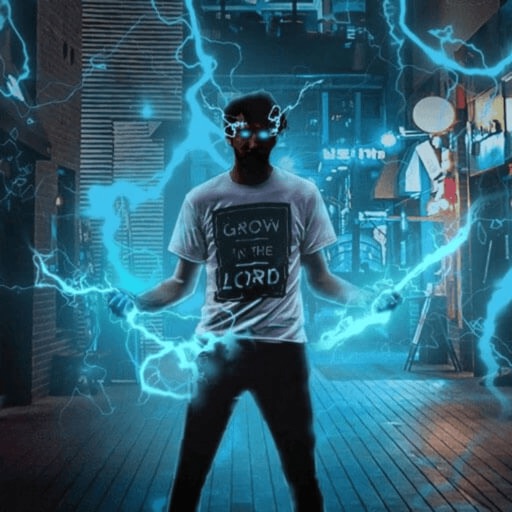
Record and edit videos with visual and templates. Add elements like dragons, magic circles, and space scenes. Include such as fire, laser, and lightning. Export and share edited videos directly.
Create holiday cards by selecting from 500+ , filters, and effects. Choose photos from your gallery or camera, add custom text, and share the finished card. Include festive elements like a fluffy Red Santa for fun.
Create collages by combining multiple photos into one with customizable layouts. Apply one-touch filters for instant effects. Add text, letters, and stickers to photos. Export and share finished collages directly.