Apps Like Magic Mirror Photo Editor for iPhone and iPad
Create effects and apply frames
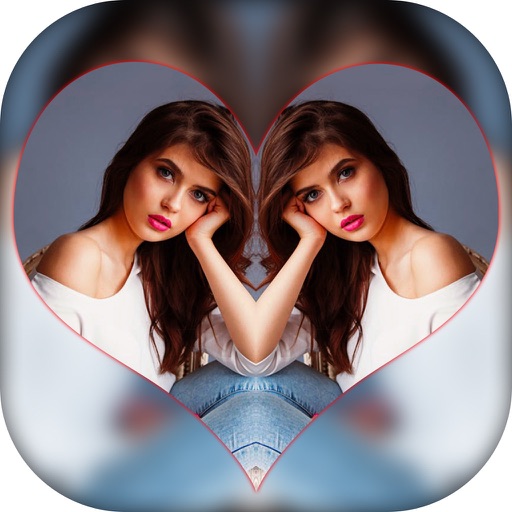
Create effects with left-right, up-down, reflection, and repeating options. Apply effects and designer frames to enhanced images. Edit and share -style photos with additional customization features.
by Nalin Savaliya★ 0.00 ratingsPhoto & VideoFreeData updated 2026-09-15
Create -themed with multiple creative options. Select images from gallery or camera. Apply effects for enhanced visuals. Share photos on social media platforms. Save edited images in high resolution.
Create colorful designs using art effects with 48 unique brushes and 48 shapes across six categories. Use symmetry and inverse drawing modes for creative effects. Apply dynamic textures and -off particles for realistic results.
Edit photos by selecting focus areas with smart selection tools. Apply to background while keeping subject in focus. Choose from nine including motion and zoom. Pan and zoom quickly for precise adjustments.
Control projector settings and share screen remotely
Control a portable smart projector remotely by navigating menus, opening apps, and adjusting settings. Connect wirelessly to share phone screen content. Reverse-mirror projector screen onto phone for viewing.
Try different hairstyles and colors to preview looks. Upload photos to apply styles. Choose from various hairstyles and color options. Create custom colors and add meches. Share edited images with friends.
The app allows users to add customizable mirror effects to photos. Users can adjust reflection height and width, and apply various shape and blur effects.
Create videos by selecting from camera or gallery. Adjust frame duration and apply effects, filters, themes, doodles, and stickers. Add music and create slideshow animations gif memes and stickers.
Edit photos with filters, filter mix, and creative shape effects. Apply mirror and mask tools. Create photos without cropping. Design grids and add funimate effects. Share directly to Instagram.
Create photo collages by combining 2 to 9 images into one. Adjust size, position, and layout. Choose from various templates and styles. Add stickers, frames, effects, and patterns. Share finished collages directly.
Use the live camera or select a photo to apply mirrors and filters. Choose from horizontal, vertical, tri-h, tri-v, diagonal, quad, and other mirror types. Apply filters like B&W, Lomo, Colorz, Warm, Cold, Sepia, Nostalgia, Vibrant, Toy, and Sketch.
The app allows users to combine multiple photos into a single collage. Users can select from various layouts and frames, add captions, and apply special effects.
Take photos with real-time filters and artistic effects. Edit images with cropping, brightness, and color adjustments. Add text, stickers, and holiday-themed decorations. Share edited photos directly to social media.
Create collages using 100+ 2D/3D frames. Add images from gallery or camera. Adjust opacity and rotate photos. Include text with custom fonts and colors. Apply effects to enhance visuals. Export and share finished collages.