The app allows users to add customizable mirror effects to photos. Users can adjust reflection height and width, and apply various shape and blur effects.
by nedis★ 5.01 ratingsEntertainmentFreeData updated 2026-10-13
Two photos to create a double exposure effect. Adjust blending modes and positions to merge images. Apply filters and share results on social media platforms like Instagram and Facebook.
Trim, cut, and crop clips. Adjust brightness, contrast, and color. Add slow motion effects. Overlay multiple clips. Export videos in various formats. Share directly from the .
Edit photos by selecting from Camera Roll or taking new shots. Apply real-time effects to create prism-like glass pieces. Adjust frames, shapes, and patterns. Rotate, resize, and drag elements for custom designs. Export and share edited images.
Edit photos with AI muscle enhancement, retouching, and makeup filters. Adjust shape, add height or muscles, and change hairstyles. Swap faces using AI, remove objects, and apply beauty enhancements. Export and share edited images directly.
Edit photos with AI-powered body slimming and shape adjustments. Apply AI cartoon effects and age prediction. Add stickers and use standout templates. Export edited photos directly.
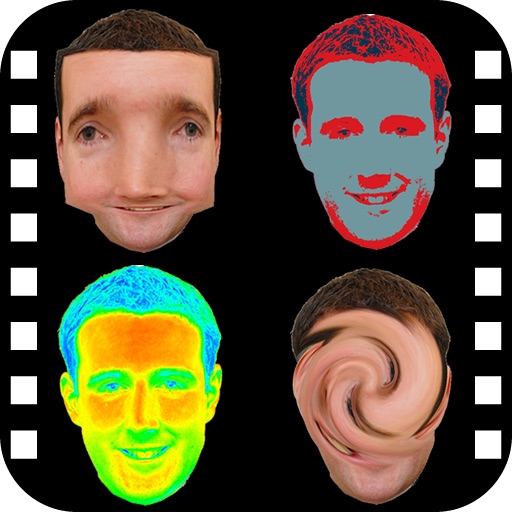
The app provides a photo editing experience with numerous effects. Users can select a picture and apply various filters like Night Vision, Heat Cam, Ripple, and Alien.
Edit photos with enhancement tools, effects, and color splash. Add stickers, frames, and overlays. Create collages and custom drawings. Crop, rotate, flip, and straighten images. Adjust brightness, contrast, and saturation.
Create immersive light effects for parties and events. Activate mirror ball, fireworks, firecrackers, and . Stream to TV for enhanced visual impact. Control effects remotely.
Blur image backgrounds to create effects. Select photos from gallery or capture new images. Apply multiple blurring tools to adjust blur intensity. Export edited photos to device storage.
Choose a photo from your camera roll or take a new one, then apply effects automatically. Select from various styles, adjust positioning, zoom, and customize edits. Save and share the final .
Take photos and videos with 9 customizable effects including smile enhancement, face stretching, and character transformations. Adjust effects on-screen. Share images and videos via email, Twitter, or Facebook.
Edit videos with , fast , and stop effects. Adjust speed for specific frames or portions. Add music and share to social media platforms. Record live with speed control. Output in high resolution.
The app offers over 1000 effects, including AI art styles, background replacement, and makeover options. Users can create unique photo montages and collages with a built-in editor and share their creations.
Photos by flipping horizontally or vertically. Create reflections and repeating patterns. Apply effects and frames. Design collages with multiple layouts. Export and share edited images.
Edit photos with effect and features. backgrounds and apply black-and-white conversion. Select areas for contrast. Zoom with two-finger pinching. Adjust brush size, opacity, and offset. Export edited images.
Create photo collages and video slideshows with customizable layouts, colors, and patterns. Add text, filters, and music. Edit photos with object removal, skin softening, and blur effects. Include stickers, outlines, and background adjustments.
Selective coloring allows users to add to specific image areas against a monochrome background. Recolor tools enable adjustments to hair and eye colors. Users can apply advanced editing options to enhance and customize their photos.
Edit photos and videos with face and voice filters. Apply 75 hilarious face effects and 39 voice sounds. Combine multiple face filters. Record videos and take photos. Share content directly with others. No login required.