Design 3D models with customizable colors and textures. Import 3D text and add in- purchases. View models in augmented reality by placing them in your environment and walking around them.
by MEDIWARE CY LTD★ 4.267 ratingsEducation$2.99Data updated 2026-09-15
Arthur Eduardo Skaetta Alvarez Desenvolvimento de Software LTDA.
View 3D models, rotate, zoom, paint
View 3D models in real time with rotation, zoom, and painting features. Simulate 3D printing to detect issues without using materials. Use AR mode to visualize models in real-world environments. Export and share models directly.
Create 3D models using intuitive tools designed for beginners and kids. Export models in OBJ or STL formats. Import into Roblox Studio, Unity, and Unreal Engine. Model on iPhone or iPad.
Create 3D models with intuitive design tools. Collaborate in real-time across devices. Sync projects automatically for consistent access. Work offline or online with cross-platform support. Share designs and receive feedback directly.
The app provides a web viewer for design and 3D files on iPad, iPhone, and iPod. Users can view and interact with objects from web files, ZIP archives, or files uploaded to the device, including DXF, IGES, STL, OBJ, Gerber, VRML, and TIFF formats.
3D models in AR and 3D modes with customizable backgrounds and shadow casting. Load files from local storage or cloud services like iCloud and Dropbox. Support multiple 3D formats including OBJ, FBX, STL, and GLTF.
View 3D STL files with support for ASCII and binary formats. Load models from ZIP files. Rotate, pan, and zoom for graphic manipulation. Switch between orthogonal and perspective views.
View and collaborate on 3D CAD models across devices. Support for over 100 file formats including DWG, STL, and STEP. Share designs with team members or clients. Access models remotely and work with cloud-based desktop software.
Capture 3D models of objects or spaces using LIDAR or TrueDepth technology. Save scans in USDZ format for iMessage or AR QuickLook. Export in OBJ, GLTF, GLB, DAE, and STL formats. Share 3D models directly via iMessage or AR QuickLook.
Create and edit 3D models using for iPad and Web. View 3D projects without a subscription. Collaborate on designs, adjust materials, and export models in various formats. Access free 7-day trial for full features.
View and inspect 3D models in various formats like PLY, STL, OBJ, and CTM. Open models from web links, emails, DropBox, or file shares. Navigate models with intuitive controls for zooming, rotating, and panning.
Create 3D models using intuitive device-optimized controls. Design circuits, code, and simulate electronic components. Learn through hands-on projects. Access free, ad-free tools suitable for all ages.
Create and edit 3D models using 25 built-in primitive shapes. Import and export models in various formats. Adjust geometry with precision tools. View models in 3D and 2D perspectives. Add textures and materials for realistic rendering.
View and load 3D models in various formats including STL, OBJ, PLY, and others. Adjust mesh transparency. No registration required. Intuitive interface for easy navigation and interaction with 3D files.
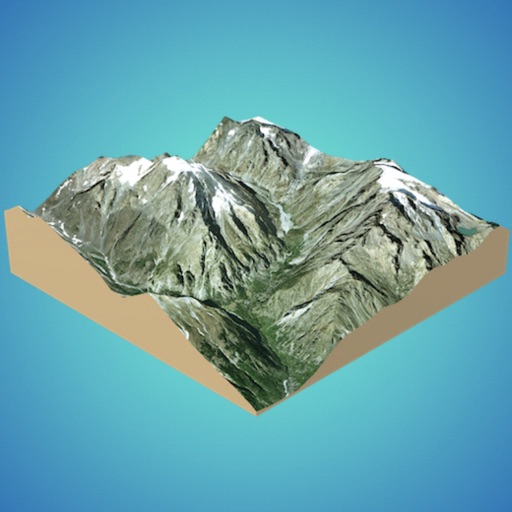
Create 3D models from online sources like Bing Maps or local cloud points. Export data as CSV, TXT, STL, or OBJ. Modify models by cutting, scaling, and animating. Calculate surface areas and volumes in real-world units.
Create and share 3D presentations using pre-built templates. View presentations in augmented reality directly on the device. Edit 3D models, add text, and export presentations for sharing.
Explore with interactive 3D models of male and female bodies. View cadaver and diagnostic images alongside 3D structures. Access key organ views and animations. Purchase additional physiology and dental content.
View 3D models exported from software. Navigate through designs using virtual reality tools. Explore exterior, room, cross section, and floor plan views. Walk or fly through models to visualize home projects before construction.