Create and organize digital portfolios for hobbies. Upload images, videos, and notes. Add tags and descriptions. Share links via social media or email. Manage multiple projects in one place.
by JAMIL KHOJA★ 5.09 ratingsProductivityFreeData updated 2026-09-06
Manage and organize creative projects in one place. Import and export files. Edit art with high zoom, animation tools, and color palette customization. Create and animate sprites for retro-style games.
Capture and organize high-resolution photos of landscapes, ice formations, and wildlife. Edit images with cropping and filters. Add location tags and share directly to social media or email.
Create and organize flashcards for memorization. Use to review cards at optimal intervals. Add notes and tags to categorize content. Export progress and share flashcards with others.
Take notes with handwriting, ink, and typed text. Annotate PDFs, add shapes, and organize with folders and tags. Share notes via AirPlay. Import photos and use markup tools. Sync across devices.
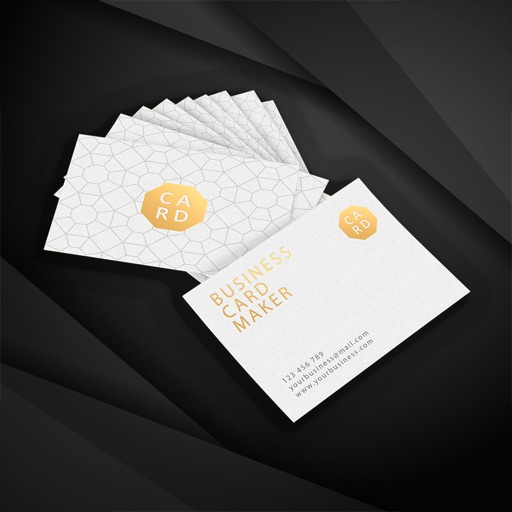
Design cards with text, images, and logos. Choose from templates and adjust layout. Print or share cards via email or social media. Track distribution and update contact information remotely.
Create custom digital greeting cards for birthdays and special events. Add photos, text, and designs. Send cards directly via email or social media. Set reminders for upcoming birthdays and important dates.
Backup, sync, access, share content across devices
Back up photos, videos, contacts, and documents to secure storage. Sync and access content across devices. Organize files into folders. Share files via links or email. Manage storage space and set automatic backup schedules.
Create custom Wars opening crawls by entering text, episode names, and opening sentences. Adjust text size, speed, background images, and music. Share videos or GIFs via email or social media. Upgrade to change the crawl title.
Write notes with a stylus pen for natural handwriting. Organize notes into categories like projects or courses. Search for notes by keywords or tags. Sync notes across devices.
Break photos into pieces and rearrange them to create unique visual content. Upload customized images to social media to enhance online presence. Share interactive, artistic posts that stand out in feeds.
Create and manage digital spaces for event planning, team coordination, and client engagement. Save, organize, and share links, media, documents, and emails in one place. Invite others to collaborate and share content within spaces.
Upload photos to generate AI-animated videos. Choose from multiple styles and themes. Add text and music to videos. Share finished videos directly with social media or messaging apps. Edit frames and effects before exporting.
Plan daily schedules with flexible themes and time management tools. Track tasks and projects with to-do lists and calendar integration. Organize notes, entries, and bullet points in one place. Sync across devices and access via desktop web.
Create and organize notes for quick referencing. Add tags for social media drafts, product descriptions, or blog posts. Manage notes in groups for better organization. Share notes directly or export them in various formats.
Organize tasks, notes, and lists in one place. Create and manage multiple lists with customizable sorting options. Choose from themed interfaces to personalize your workspace. Add and edit items with personalized list controls.
Upload and share photos and videos with tags, titles, and descriptions. Add GPS locations and convert unsupported file types. Comment on content and announce uploads via Twitter. Organize and manage photos efficiently.
Create maps for note-taking, idea organization, and task planning. Add text, links, and images. Sync files across devices using cloud storage. Share maps and collaborate in real time. Set reminders and manage projects with timelines.
Create a professional CV by entering contact details, uploading a business-style photo, and describing career goals. Fill in education and work experience fields. Export as PDF, print, or share via email.