Apps Like Blurize: AI Portrait Camera for iPhone and iPad
Blur portraits with AI precision
Automatically detects subjects and backgrounds to create bokeh effects. It applies Gaussian, motion, or zoom blur. Built-in filters enhance photos. No manual object selection is required.
by Luong Hoang★ 4.518 ratingsPhoto & VideoFreeData updated 2026-09-14
Edit photos with single-tap effects and professional filters. Adjust brightness and contrast. Apply blur and focus tools. Enhance portraits with specialized filters. Export edited images in various formats.
Allows users to photos using AI to separate subjects from backgrounds. Apply motion or censor sensitive areas. Adjust intensity and export edited images.
And videos to obscure specific areas or entire footage. Adjust shapes, trace with finger, or auto- faces and cars. Process audio and change speed. Create fluffy effects.
Edit photos with one-tap tools including Gaussian, zoom, and motion . Adjust brush size and apply glass, crystalize, or pixel effects. Save edits in low or high resolution to camera roll.
Edit photos and videos with like Analog Noise, Digital Noise, and VHS Noise. Apply such as Color Aberration, Datamosh, and Pixel Sorting. Save edited content as animated GIFs. Export in 4K resolution.
Edit photos with 50+ filters and adjustment tools for brightness, contrast, vibrance, and hue. Apply special effects like comic or sketch styles. Draw on images, add text, and use blur or rotate features. Crop and color splash photos.
Edit photos with effect and features. backgrounds and apply black-and-white conversion. Select areas for contrast. Zoom with two-finger pinching. Adjust brush size, opacity, and offset. Export edited images.
Create DSLR-style photos with background blur by selecting focus areas. Apply various filter effects for natural and realistic results. Adjust focus precision for professional-quality images.
Create stickfigure animations with customizable frames and frame-tweening for smooth motion. Import and animate images. Export as animated GIFs or MP4 videos. Use a camera to pan, zoom, and rotate around the canvas.
Edit photos with vintage effects, artistic filters, and professional adjustment tools. Crop, resize, and enhance images. Add text and stickers. Export in multiple formats and share directly. No registration, ads, or watermarks.
Edit photos and videos with brightness, contrast, hue, saturation, and color filters. Add texture using blur, noise, dust, and dark corners. Apply vintage film-inspired filters for a retro look. Export and share edited content.
The app offers tools for photo editing, including frames, layouts, and effects. Users can adjust color balance, brightness, contrast, and saturation, and apply sharpening or blurring.
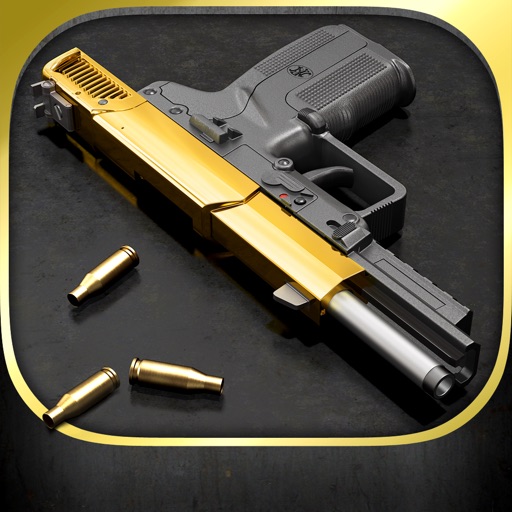
Simulate shooting with ultra-realistic gun models featuring motion blur and smoke effects. Select from over 420 firearms. Adjust shooting angles and environments. Save and review shooting sessions. Share results via social media.
Create 3D photos from regular images by selecting a and applying a 3D effect with one tap. Adjust depth and perspective settings. Export and share the enhanced 3D photos directly.
Take photos with single-tap effects and professionally designed filters. Adjust brightness and contrast. Apply blur and focus. Rotate and crop images. Export edited photos in various formats.
RAY INFORMATICS YAZILIM TEKNOLOJI MEDYA DANISMANLIK VE EGITIM TICARET LIMITED SIRKETI
Elements for cinematic effect
Create cinematic effects by blurring background elements while keeping subjects in focus. Use AI-powered segmentation to isolate people and objects. Adjust intensity and apply motion for dynamic scenes.
Edit videos by trimming, splitting, and merging clips with adjustable durations and transitional animations. Apply diverse filters and retouch photos. Add multi-layer subtitles with adjustable timing and customizable fonts.
Capture photos and videos with retro color effects inspired by CCD cameras. Adjust high contrast settings and use a vintage interface. Record audio with analog-style filters. Share edited content directly.