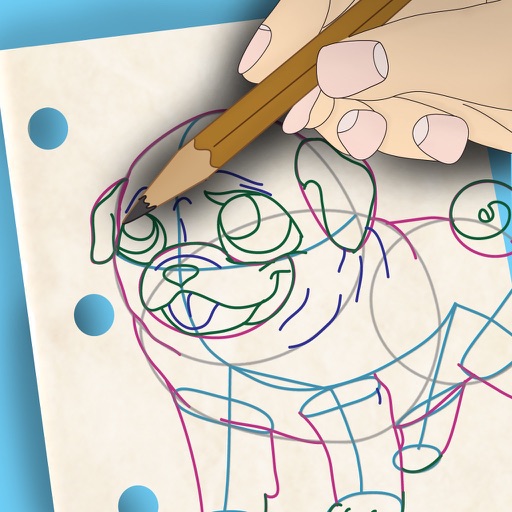
Draw and paint images using customizable color pencils, pastels, and brushes. Choose colors freely and adjust settings for precise control. Save artwork to camera roll and share via Facebook or Twitter.
Allows users to import photos and access over 20 ultra-realistic brushes. Create detailed and paintings with adjustable brush pressure and flow. Export artwork in multiple formats and share directly.
Use AR to and real-world objects. Trace or create images using augmented reality. Add layers and adjust opacity. Export drawings in various formats and share directly.
Create stickmen using simple drawings. Customize characters with different body parts and expressions. Solve puzzles and complete challenges to unlock secrets. Share drawings and collect unique artwork.
To with structured tutorials and daily practice exercises. Follow step-by-step guides to create illustrations. Access a variety of drawing tools and customize your workspace. Save and review progress to track skill development over time.
Create and refine artwork using AI-powered tools and AR integration. Access 550+ lessons with character-based tutorials. Collaborate with others in real-time. Track progress and receive feedback. Export drawings in various formats.
Create weapons by drawing on the screen with your finger. Customize stats using points. Tap at the right time to launch opponents off the cliff. Manage ink levels as they deplete during creation.
Create custom mandalas with design tools. Apply photos to pages for personalized artwork. Access over 20 pre-designed templates. Save and share completed artwork. Adjust colors and patterns within the .
Learn to characters and animals with guided tutorials. Choose colors and customize designs. Save and share drawings. Access a variety of kawaii characters, anime, food, and holiday themes.
Characters, objects, and animals through step-by-step tutorials. Choose from various art styles including doodles and detailed illustrations. Compete in multiplayer battles. Save and share creations. Adjust brush settings and color palettes.
Use your phone to project templates onto paper for . Upload and create custom art. Access sections for anime, tattoos, and cars. Record video of your process. Sync drawings with AR features for enhanced sketching.
Create symmetrical drawings using the mirror tool. Choose from various markers and tools. freely with finger or stylus. Save and share artwork. Adjust canvas size and color options.
Create animations using a drawing interface with tools for sketching and refining artwork. Import images or draw frames manually. Export animations as GIFs or videos. Share creations directly from the .
Pages allows users to select from 300+ pages and add stickers or special effects. Mystery paint feature lets users create unique drawings. Save and load progress. Share drawings via preferred platform. Create custom drawings or wallpapers.
Allows users to create drawings with customizable tools and layers. Share artwork with friends or join collaborative sessions. Access weekly drawing lessons and tutorials. Save and organize projects in a personal gallery.
Create digital art with drawing, coloring, and animation tools. Use versatile templates for Anime, Animals, Flowers, Landscapes, Mandalas, and more. Access dual drawing modes for layered artwork.
Access -themed pages and drawings. Create and customize artwork with easy-to-use tools. Share finished drawings via the . Includes a pixel art workshop for detailed designs.
Create Minecraft skins by selecting clothing items and customizing features like hair, face, eyes, and mouth. Add drawings for extra details. Export skins for Minecraft PE and PC.
Drawing techniques through step-by-step lessons. Create and customize sketches with various tools. Access coloring features and save artwork. Share drawings directly from the . Track progress and revisit previous lessons.