Apps Like MicSwap Video Pro Audio Editor for iPhone and iPad
Edit tracks and apply reverb effects
Edit videos by swapping microphones for different sounds, cutting into tracks, adjusting volumes, and adding reverb. Assign unique settings to each track. Export as original size, compressed for sharing, or extract only.
by Future Moments LLC★ 4.876 ratingsPhoto & Video$99.99Data updated 2026-09-14
Measure audio, adjust equalizers, set subwoofer phase
Perform room correction by measuring with sine sweeps or real-time pink noise. Average measurements or use moving mic measurements. Compare results to target curves and edit them. Generate equalization filters for PEQ or FIR.
The app provides digital audio workstation capabilities for creating music. It supports up to 32 audio tracks for recording and mixing, with options for importing and exporting various audio file types.
Edit and remix music by separating tracks like vocals, drums, and guitar. Add MIDI instruments and apply audio effects. Use AI chord detection and a smart metronome. Remove vocals or isolate instruments from any song.
Edit audio files by cropping, cutting, and pasting segments. Apply effects like pitch adjustment, speed control, and delay. Record audio directly or import from the device library. Save and share edited files in various formats.
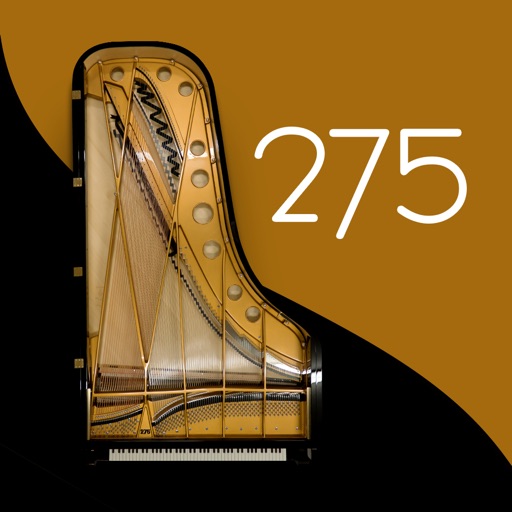
Play using a realistic virtual instrument modeled after the 275 Titanium Grand . Adjust touch sensitivity, select from multiple samples, and customize sound settings. Save and share performances directly.
Turn your iPhone into an with effects. Adjust a 10-band equalizer, apply reverb with over 10 presets, add delay, or use distortion with over 20 presets. Record and share audio with applied effects.
Edit tracks with EQ, Pitch, Tempo, Echo, Reverb, Flanger, and 20+ Equalizer presets. Loop song sections, apply time stretching, and practice with audio playback. Record voiceovers directly within the .
Remove background and retain clear vocals using AI vocal extraction. Eliminate wind, music, and traffic sounds. Trim audio or video clips directly. Enhance stereo sound for a more natural listening experience.
The app is a multitrack audio editor for iPhone and iPad. Users can record or import tracks, edit them with cut, copy, paste, and delete functions, and apply filters and effects.
Create using audio loops and 150+ sound packs. Apply digital effects, control pitch and reverb. Adjust volume, BPM, and save or share tracks. Record voiceovers and one-shot beats for custom mixes.
Play rhythm game by tapping notes in time with tracks. Choose from various difficulty levels and mods. Record vocals on instrumentals and save or share recordings. Participate in to earn scores.
Record videos and streams with high-quality settings and real-time editing. Connect external cameras and sports scoreboards. Stream to YouTube, Facebook, and Twitch. Share content directly from the .
Memos and audio clips with adjustable quality and unlimited length. Save in MP3, WAV, or MP4 formats. Export and import files to Google Drive and Dropbox. Convert between supported audio formats.
Record using a 2-track audio recorder. Add effects like reverb, chorus, and echo. Play or sing over existing backing tracks or start a new song. Share recordings and collaborate with others in a social community.
Edit by trimming, splitting, and merging tracks. Apply reverb effects and mix multiple tracks. Create ringtones with precise cutting and manage files for sharing. Transform video to format for customization.