Edit photos with advanced filters, exposure adjustments, and color grading. Crop, rotate, and straighten images. Add text, stickers, and borders. Export in various formats and share directly.
Edit photos to convert them into and with adjustable contrast, brightness, and grain. Apply filters and vintage effects. Crop, rotate, and add text overlays. Save and share edited images in various formats.
Manage photos with a clear timeline to highlight memorable days. Create collections to organize and share moments. Edit images and videos with lighting, contrast, and color adjustments plus 16 filters.
Edit photos with AI cartoon filters, -to-sketch conversion, and mosaic art creation. Remove backgrounds, add drip art, and create collages. Save and share edited images directly.
Add vibrant color to specific image areas using the Color Splash Effect. Adjust intensity and placement. Export edited in various formats. Share directly from the .
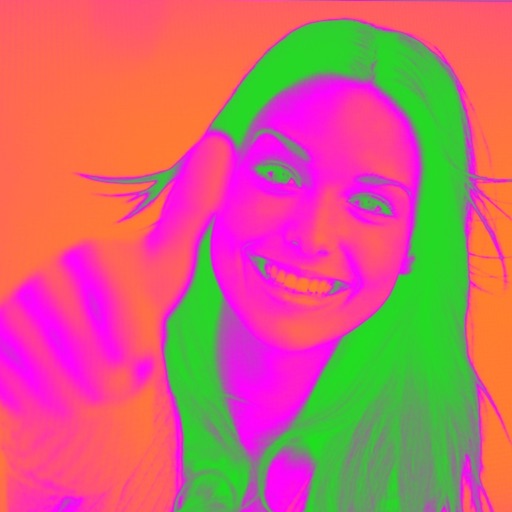
Turn your camera into a creative tool with . Apply fluorescent color filters to photos. Choose from 30 color combinations. Tap to switch views and capture images with unique color effects. Share edited photos directly.
Automatically brightens and videos to enhance details without overexposing. Adjust brightness with a slider and fine-tune using professional editing tools. Apply lighting changes smoothly to videos over time.
Record high-resolution video in multiple aspect ratios and frame rates. Adjust focus, exposure, tint, and temperature with swipe gestures. Create and save custom aspect ratios. Crop media or optimize for Instagram using color-based mattes.
The app transforms photos into surreal art with 15 animated effects like comic-book ink, VHS, and glitch. Users can import photos or use the camera to capture images and apply real-time, on-device rendering.
Shanghai Zongchong Information Technology Co., Ltd
Capture moments with AI suggestions
Allows users to capture photos with AI-powered recommendations. The analyzes lighting, colors, and subject matter to suggest tailored templates. Users can apply these templates to their images for precise and visually appealing proof of capture.