CameraSim for iPhone
Tuitive, LLC
Learn DSLR camera controls visually.
The app visually explains DSLR camera controls. Users can experiment with settings and see the effects on a sample image, receiving feedback on their choices.

Apply blur to photos and videos
Blur image backgrounds to create effects. Select photos from gallery or capture new images. Apply multiple blurring tools to adjust blur intensity. Export edited photos to device storage.
Showing 361–380 of 1,000 ranked alternatives.
Tuitive, LLC
Learn DSLR camera controls visually.
The app visually explains DSLR camera controls. Users can experiment with settings and see the effects on a sample image, receiving feedback on their choices.


Ashraf Samy
Create blurred frames for photos.
The app allows users to select a photo and create a blurred frame effect instead of cropping. Users can adjust the blur and fade effects and save the modified photo to their gallery for sharing.

杨杨 戴
Edit images and videos with precision
Edit images with blur, watermarking, and mosaic tools. Apply batch processing and circular brush effects. Adjust videos with blur, watermarking, and mosaic. Add music, stitch videos, and apply covers.
华 魏
Process video with adjustable filters.
The app processes images or videos with adjustable filters. Users can crop, rotate, apply effects like sketch or blur, and merge effects with a hand-drawn mask.


Ali Hilal
Edit photos with AI precision
AI allows users to enhance photos using AI technology. Adjust skin tone, remove blemishes, and generate new poses and backgrounds. Edit portraits and headshots with dynamic AI features. Export edited images in high quality.


Anish Modan
Unlock iPhone camera potential with manual controls.
The app provides manual camera controls for exposure, ISO, focus, and white balance. Users can edit photos with 175 filters and 12 adjustment tools, previewing all filters simultaneously.

Andrey Melnikov
Backgrounds and highlight subjects
Edit photos with effects to highlight subjects. Adjust intensity and choose from multiple styles. Save edited images in high quality and share directly.
Zipo Apps Ltd.
Edit photos, quality, restore images
Edit photos with AI-powered defect correction, automatic restoration, and quality enhancement. Adjust brightness, contrast, and color. Apply filters and effects. Crop and resize images. Share edited photos directly.
Mobisoft Labs
Create posters without design skills
Create promotional posters and advertisements with customizable backgrounds, textures, and effects. Add text, fonts, stickers, and adjust layouts. Export and share finished designs without watermarks.

Hristo Zhelev
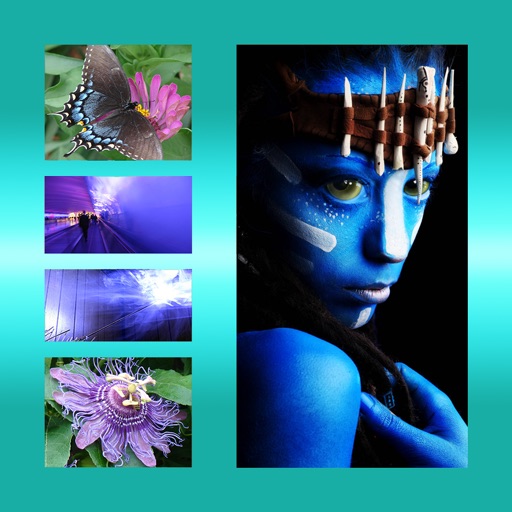
Combine photos into one picture.
The app allows users to combine multiple photos into one framed picture. Users can adjust contrast, brightness, and saturation, add text, and apply effects.


ThirtyFive Inc.
Create unique images with special effects.
The app allows users to create unique images with special effects by combining photos with text. Users can add stylish text, masking, collages, frames, filters, and geometric shapes to their photographs.
Mireia Lluch Ortola
, edit, and share photos
Edit photos by drawing on them with adjustable brush sizes and color choices. Use an erase tool and undo/redo functions for precision. Save edited images for later changes or share them directly on social networks.

泝诚 温
Edit photos, paint, and enhance images
Edit photos with filters, effects, and frames. Adjust brightness, contrast, and balance. Crop, rotate, and straighten images. Add text, stickers, and drawings. Paint on photos or blank paper. Apply splash and tilt shift effects.

Michael Shillingburg
Toast photos with effects and grain
Edit photos with 60+ high quality filters and 10 types of grain effects. Adjust exposure, shadows, and contrast. Add bloom for highlights and soften the image. Export edited photos in various formats.
Apps are ranked by functional similarity, category fit, rating confidence, and popularity.