Design custom layouts with text, backgrounds, stickers, and effects. Run live event mode with countdowns and photo previews. Guests can print via AirPrint or share photos and GIFs to social media or themselves.
by Minivan Labs★ 4.78,996 ratingsPhoto & VideoFreeData updated 2026-09-14
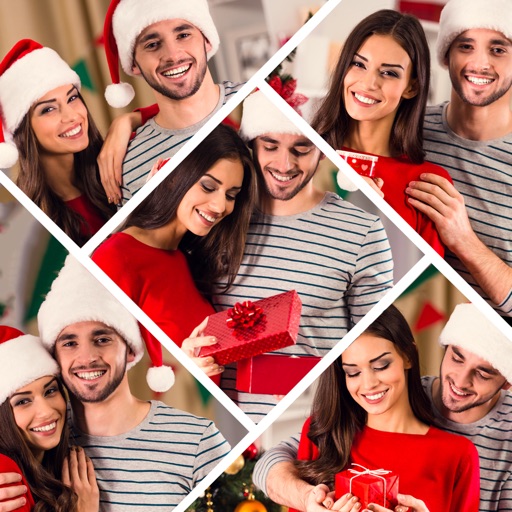
Create collages by adding photos, text, and stickers to pre-designed templates. Customize layouts, adjust colors, and apply filters. Share finished collages via social media or messaging apps.
Edit photos and videos with filters, effects, and frames. Crop, adjust brightness and contrast, and add text. Share edited content directly with friends.
Edit photos by adding speech bubbles with 15 styles and customizable colors and fonts. Create collages with comicbook-style layouts. Share photos directly from the . Drag, rotate, and pinch elements for editing.
Create custom designs with photos using templates, fonts, filters, frames, and hand-crafted stickers. Organize and save moments. Share edited photos directly.
Edit photos with filters, cropping, and adjustment tools. Create collages, photo posters, and text art. Add stickers and text. Repair old photos. Make -in- effects and GIFs. Share edited content to TikTok, iMessage, and Instagram.
Add text to photos with customizable shapes, adjusting height, width, color, and border. Design and share text overlays on images. Create social media posts, wallpapers, stickers, and event invitations. Export and share designs directly.
The app allows users to take, decorate, edit, and share selfies. It features a smile-activated timer and a rotary dial control for one-handed operation.
Edit photos with filters, cropping, and adjustments. Add text, stickers, and layers. Create collages with 500+ grid templates supporting up to 9 images. Design stories with templates and grids. Cut out photos and add backgrounds.
Create social media posts, flyers, collages, logos, and wallpapers with drag-and-drop tools. Use pre-designed templates for Instagram, Facebook, and phone wallpapers. Add text, images, and graphics.
Create photos by setting diameter in pixels, millimeters, centimeters, or inches. Import or capture photos, zoom, and move images. Edit with filters, focus, effects, and text. Adjust colored borders. Save, print, email, or share the final image.
Create LED banners with customizable and animations. Export as GIFs or video files. Save and set as desktop or mobile wallpaper. Display large on phone screen for events or parties.
Create designs, stickers, and graphics with fonts,
Create custom designs and stickers using fonts, shapes, colors, and objects. Add text, edit elements, and export designs. Share creations with others. Use pre-designed templates for business cards, CVs, and logos.
Create logos, tattoos, signatures, and book covers using AI-generated designs. Customize elements like colors, fonts, and layouts. Export in various formats and share directly. Adjust and refine designs with detailed editing tools.