Create interactive bionic simulations of with high-fidelity details. Add multiple to the same screen. Enable water effects for a different visual style. Use local videos as backgrounds. Switch between camera views and pause camera input.
by Dezhou Meiwang Information Technology Co., Ltd.★ 4.4217 ratingsUtilitiesFreeData updated 2026-09-14
Edit photos by applying Hollywood-style makeup effects including zombies, ghosts, bionic features, tattoos, and blood. Choose from categories like Monsters FX, Bionic FX, Zombie FX, Bloody FX, and Tattoo FX. Add stickers and filters to images.
Create a customizable character with diverse skin tones, hairstyles, and costumes. Chat and build friendships with players worldwide. Decorate and personalize your virtual home. Explore interactive environments and participate in group activities.
Create custom automations or use built-in actions across apps like Calendar and Camera. Add Home Screen for quick tasks. nimated GIFs and convert web pages to PDFs. Automate repetitive actions through voice commands or integrations.
Simulate a 3D dog using camera input for realistic effects. Interact with the , play with friends, and share gameplay. Includes animations and sound effects for entertainment.
Create animations by capturing sequential photos. Add text and images to enhance video content. Include sound with text-to-speech options. Apply various filters for visual effects. Use voice-activated shooting to trigger camera captures.
Apply filters resembling imaging in real time. Capture photos with enhanced visual effects. Record videos using iOS screen recording. Adjust settings for filter intensity and exposure. Share edited content directly.
Create realistic shaver sounds and vibrations by tapping the screen. Simulate a haircut with audio and haptic feedback. Use for pranking friends by mimicking a device.
Customize iPhone and iPad Home and Lock Screens with , live wallpapers, and icons. Create custom wallpapers, , and . Apply coordinated instantly. Add interactive and dynamic backgrounds.
Simulate a metal cigarette with customizable themes and colors. Choose from 8 flame styles and personalize with user photos. Save favorites, extinguish flames, and use for continuous lighting. Access camera flashlight for enhanced visual effects.
Use camera to magnify objects. Switch between front and back cameras for mode with light bars. Tap to freeze image and adjust brightness and contrast. Pinch to zoom, rotate, and pan. Save final image to Photos.
Customize and widgets to match personal style. Replace default with preferred images. Add widgets showing calendars and quotes. Choose from various colors, styles, and themes for home screen personalization.
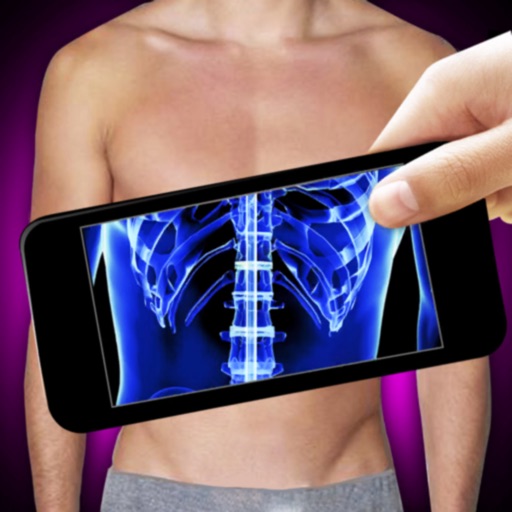
Use the to simulate an -ray scan by connecting the camera. Point the phone at different parts to create the illusion of an -ray. Tap the scan button to view the resulting image. Practice for better effects.