Capture photos and videos using voice commands. Take a photo, start or stop video recording, reverse the , and enable or disable the flash. Voice recognition works offline on iOS 13 and higher. Configure custom phrases for commands.
by Ross Martin★ 4.4792 ratingsPhoto & VideoFreeData updated 2026-09-13
Convert photos and videos to art with 30+ styles and 10+ effects. Record art videos directly or apply the style to existing clips. Save results as videos, live photos, or gifs. Adjust settings to customize the pixelation effect.
Record video with and cameras simultaneously using Picture-in-Picture, split screen, or single layouts. Capture triple shots in one click. Save and share recordings.
The app allows users to capture long exposure, light trail, and low light photos. It offers features for adjusting exposure, creating motion trail effects, and modifying brightness, contrast, and color after shooting.
The app provides fisheye photo and video capture with live preview. Users can add vintage film looks, colorful ring flash effects, and a GPS watermark to document captured moments.
Create and share short videos as animated GIFs or MP4. Capture frames with the or import photos, videos, or live photos. Apply real-time color filters, add text or frames, and record stop motion.
Play audio and video files from local devices, network sources, or streaming services. Manage playlists, control playback, and access media from NAS or home servers.
Take photos with manual controls for exposure, focus, and white balance. Adjust shutter speed and ISO. Preview and edit images with crop, rotate, and color correction tools. Share photos directly or save to device.
The app offers a professional teleprompter solution with a modern design and new features. It supports text customization, various import options, and video recording, making it suitable for diverse performance needs.
Turns phone into a high-definition source for OBS Studio. Stream or record virtual events with live video and audio. Supports real-time input for content creation. Integrates with OBS for broadcasting and recording.
Capture photos with anti-shake, HDR, and night scene noise reduction. Focus and shoot with ease. Edit raw images with adjustable settings. Share directly from the .
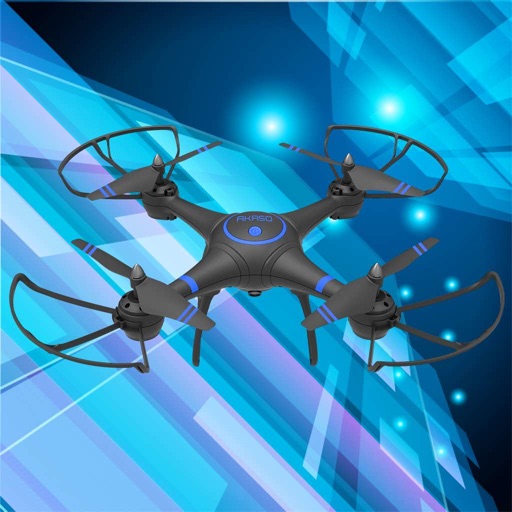
Control drones, view real-time video, record photos
Control a four-axis drone via WiFi. View real-time video feed from the drone's camera. Capture photos and videos using the device. Enable VR mode for immersive viewing. Use voice commands for flight control.
Control and view the Action Sport via WiFi. Preview live video stream, take photos, and start or stop video recordings. Adjust settings remotely. Connect by enabling Wi-Fi on both devices and searching for the ’s signal.
Capture photos in and with real-time contrast and exposure adjustments. Preview high-key or low-key effects in the viewfinder. Use Zen mode to focus on composition without technical distractions.
Create time- and stop-motion videos with intuitive controls. Adjust speed, add transitions, and apply filters. Export in various formats and share directly. Sync with cloud services for backup and access.
Record videos and photos with controls including focus peaking, false color, and histogram. Shoot in PRORAW and DNG formats. Adjust audio metering, custom resolutions, and frame rates. Export logs and fat videos.