Kaomojis provide text-based emoticons for use across all apps. System-wide keyboard access allows customization of favorite emoticons. Supports dark mode and enables creative expression through text-based expressions.
Emoticon keyboard with over 500 text emoticons for messaging. Search by keywords. Add custom emoticons and nicknames. Share or copy paste emoticons directly. Supports chat apps like WhatsApp and Facebook.
And browse emoticons by category or keyword. Tap to copy or long-press to save to favorites. Access a library of expressions for messaging. Request new emoticons through the in- contact option.
Add custom keyboards with over 1000 Japanese emoticons, 200 Kawaii Faces, 2000 Cool Symbols, and 50000 Unicode Characters. Switch between layouts and input methods. Share themes and customize key appearances.
The app allows users to copy and paste emoticons for sharing on various platforms. Users can search for emoticons, register selected, and create their own categories and signatures.
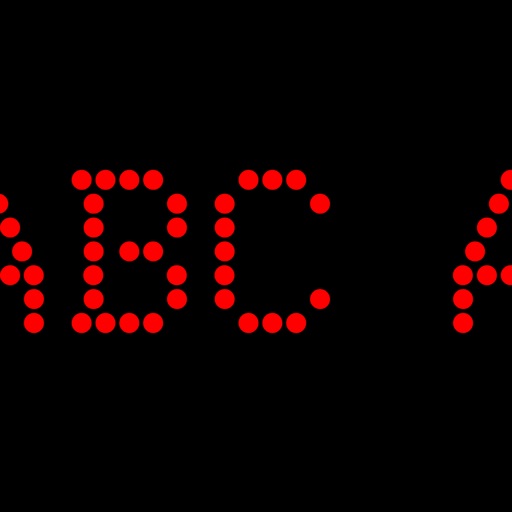
Displays scrolling text messages and emoticons on an LED dot-matrix screen. Users can input messages, choose text colors, and adjust scrolling speed. Supports continuous operation with customizable content.
Create and keyboard characters. Access hundreds of Japanese Kaomoji and ASCII art. Customize expressions with -based graphics. created images directly within the .
Create custom symbols, , and emoticons for use in messaging and social media apps. Access a wide range of cursive and special characters. Customize layouts to include unique symbols and emojis.
Provides access to Japanese text emoticons as a keyboard for iPhone and iPad. Users can switch to and from the keyboard in messaging apps like iMessage, WhatsApp, and Instagram. It allows adding expressive text emoticons to messages.
Customize text with colored icons, emojis, and decorative fonts in both Arabic and English. Share formatted text on social media. Use as a keyboard replacement for messaging apps. Apply visual effects and text art directly during typing.
Customize text with unique and emojis across social media platforms. Switch between and layouts. Add text emojis and symbols to messages, bios, and stories.
Allows users to create custom layouts with phrases, text shortcuts, and text expansions. It includes a & clipboard and AI-powered features for rewriting, translating, and transforming text.
Type with customizable , access Kaomojis, and use a pasteboard for quick text insertion. Spell check suggestions are available. Switch instantly and personalize the layout.
Edit messages with AI-powered suggestions and translations. Access over 6000 emojis, stickers, GIFs, and cool fonts. Customize themes and symbols. Share text art and genmoji across WhatsApp, TikTok, Instagram, and other apps.
Customize keyboard appearance with skinnable themes, wallpapers, and text color options. Use emoticons and emoji for messaging. Add stickers and animations to enhance typing experience.
Add custom keyboards with over 1000 Japanese emoticons, 200 Kawaii Faces, 2000 Cool Symbols, and 50000 Unicode Characters. Switch between layouts and input methods. Share shortcuts and themes.
Customize with nearly 125 trendy fonts and symbols directly on the keyboard. Create mixed styles and access new GIFs. Search quotes by mood and use them in messages.