Apps Like Photo Shape Collage Maker. for iPhone and iPad
Create collages in any
Create collages by arranging multiple photos in predefined shapes. Choose from 100+ categories including hearts, animals, and flowers. Automatically place photos within selected shapes. Export finished collages.
by Pankaj Yadav★ 4.4303 ratingsPhoto & VideoFreeData updated 2026-09-13
Create -themed collages using 100+ available frames. Add text with customizable fonts and colors. Adjust opacity and rotate images. Select photos from gallery or camera. Apply effects to enhance visuals.
Create collages by mixing and arranging photos, rotating, and moving them freely. Add text, stickers, and backgrounds with customizable fonts, sizes, and colors. Draw or write on photos using a doodle tool. Export and share finished collages.
Edit photos into customizable grids with layout options, shapes, and frames. Add text and messages. Apply filters and effects. Stitch multiple images into a single composition. Export and share edited collages.
Create surreal or funky art with one-tap effects like double exposure and fragmenting dispersion. Edit photos with intuitive tools, apply artistic filters, and adjust colors. Save and share edited images directly.
Create collages with 106 adjustable layouts and 31 irregular designs. Choose from 18 frames and 36 backgrounds. Customize borders with color and shape. Edit photos using a built-in PRO editor.
Create collages with 64 layouts and custom difference templates. Add photo frames, stickers, captions, and text with font options. Edit backgrounds and export finished collages.
Decorate home screen with interactive widgets. Display photos in sorted order or create collages. Add multiple photos at once and rearrange them. Supports transparent and iOS 18 lock screen widgets. Choose from various sizes and refresh intervals.
Create collages with customizable layouts and shaped frames. Apply filters and edit photos. Add text, stickers, and signatures. Export and share finished collages.
Create collages with customizable blur backgrounds and adjustable layouts. Apply filters like black and white, vintage, and retro to enhance images. Edit photos by resizing, cropping, or deleting elements.
Create collages using over 50 templates. Customize layouts, add text, and include photos or videos. images with filters, cropping, and manual adjustments. Shoot photos with manual camera controls. Export and share edited content in various formats.
Photos and videos using AI to expand images, remove objects, and replace or blur backgrounds. Enhance image quality, restore old photos, and create AI-generated scenes. Share edited content directly to Instagram.
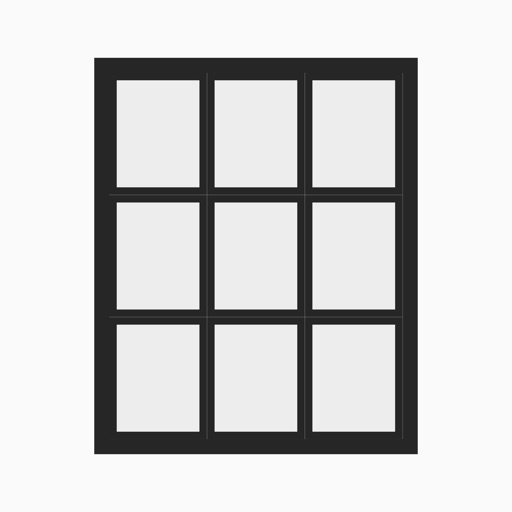
Create collages using 9 photos. Tap frames to insert images from the photo library. Resize, reposition, and crop photos within each frame. Preview the in full size and save it to the photo library.
Create collages with customizable grids and multiple layout options. Add photos by selecting from camera or gallery. Adjust images using zoom and touch gestures. Change background colors or themes. Save or share collages through social media apps.
Create collages from photos and them. photos directly onto CD/DVDs using an printer. Turn photos into coloring books and customize greeting cards. Personalize stationery and artwork.
Create photo collages and video slideshows with customizable layouts, colors, and patterns. Add text, filters, and music. Edit photos with object removal, skin softening, and blur effects. Include stickers, outlines, and background adjustments.
Selective coloring allows users to add to specific image areas against a monochrome background. Recolor tools enable adjustments to hair and eye colors. Users can apply advanced editing options to enhance and customize their photos.