Design interfaces with buttons, faders, and colour
Design custom user interfaces with drag-and-drop elements. Add buttons, faders, and color pickers. Preview and export interface designs for the . Adjust layouts and styles for different screens. Save and reuse interface templates.
by Visual Productions BV★ 0.00 ratingsUtilitiesFreeData updated 2026-09-06
Edit photos with vintage effects, artistic filters, and professional adjustment tools. Crop, resize, and enhance images. Add text and stickers. Export in multiple formats and share directly. No registration, ads, or watermarks.
Practice rhythms and compose music with customizable patterns and notation. Track practice sessions and set goals. Schedule rehearsals and manage setlists. Export and print sheet music. Collaborate with other musicians in real time.
Create custom Poke Cards using personal images. Choose from multiple series and elements. Edit features with an intuitive interface. Save and share cards with friends. Supports multi-stage designs and continuous updates.
Create home screen icons and themes. Adjust icons, backgrounds, and layouts. Apply new themes with simple taps. Customize layouts and styles to match personal preferences.
Edit photos with cartoon effects, AI-generated images, and retro styles. Add filters, adjust colors, and apply comic-themed designs. Save and share edited photos directly.
Perform calculations a 3D interface featuring realistic button press effects and animations. Use custom skins to personalize the appearance. Conduct math operations and access interactive elements for enhanced usability.
Navigate with precision and explore trails efficiently
Navigate with multiple styles, including analog and digital interfaces. Set and track waypoints, view elevation data, and receive turn-by-turn guidance. Sync with GPS devices and share route maps.
A calculator with large buttons and a big display. Perform addition, subtraction, multiplication, and division. Features a Retina display for clear viewing.
Track sessions with customizable timers. Set intervals, rest periods, and exercise durations. Switch between exercises without reconfiguring the . Save and reuse configurations for different workouts. Monitor session progress and duration.
Lets users play multiple audio and MIDI files using playlists. It supports routing audio tracks to USB interface outputs and uses headphone output as additional channels. MIDI files can be played with a dedicated MIDI player.
Set with high-quality images from Unsplash. Choose from daily updated selections of artwork and landscapes. Customize wallpaper settings and access a sleek, user-friendly interface.
Perform basic statistical calculations, create and edit data lists, and generate summary . Calculate regression models and probability distributions. Unlock advanced features and larger list capacities via in- purchase.
Organize and sort PDF files in a library. Edit documents by adding drawings, sketches, and shapes. Merge multiple files into one. Add signatures and save for later. Insert text with various fonts. Import and export PDFs in different formats.
Compress and edit videos with batch processing, trimming, cropping, splitting, merging, and rotating. Choose H.264 or HEVC codecs with resolution options. Adjust frame rates for 240 FPS videos. Save space with efficient compression.
Remove backgrounds from images using AI-powered tools. Edit photos with filters, cropping, and adjustment options. Add text, stickers, and effects. Export in multiple formats and share directly.
Record and edit with multi-track mixing and mastering capabilities. Add effects, adjust levels, and export in various formats. Supports sound recording, processing, and voice editing.
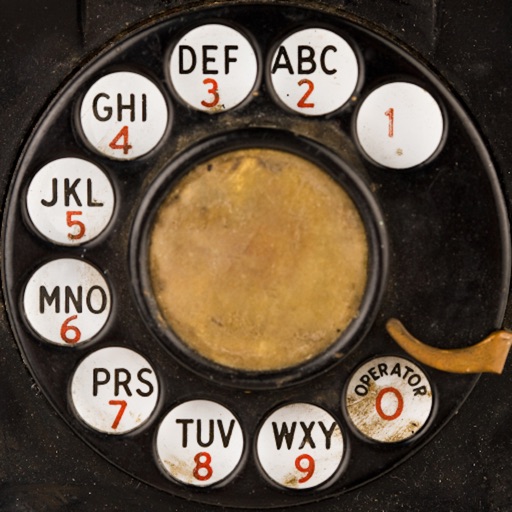
Dial numbers using physical buttons and sound effects. Set volume for sound effects and enable touch tone for faster dialing. Make calls without a touchscreen. Memorize numbers by heart. Pause to think before dialing. Relive vintage phone experience.
Perform calculations using reverse Polish notation. Swipe to undo or redo operations. Access a 100-entry stack and 6 memory buttons. View large, easy-to-read displays. Save state on exit. Supports scientific functions and multiple undo/redo levels.
Control six robotic toys including Robosapien™, Roboraptor™, Tribot™, Roborover™, Roboquad™, and RoboMe™. Record and save custom command routines for later playback. Access optimized interfaces tailored for each robot.