Create flipbook animations with frame-by-frame drawing. Use pressure-sensitive pen and eraser tools for artistic effects. Edit with undo/redo features. Add predefined animations and effects. Export and share finished projects.
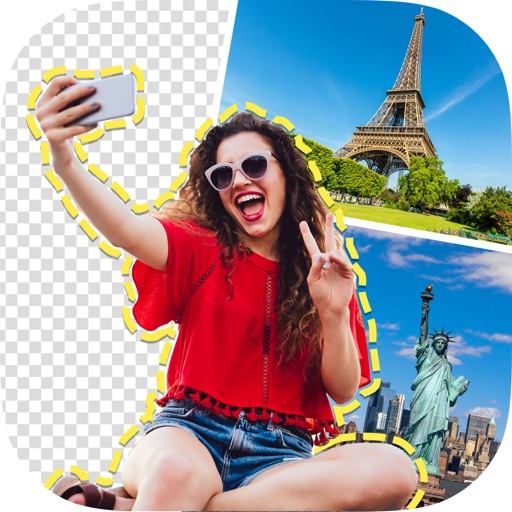
Allows users to remove people, animals, and objects from images using AI. Users can these elements into new backgrounds. Features include quick object selection, background removal, and photo montage creation directly on mobile devices.
Edit photos with face-lifting, slimming, and skin retouching tools. Apply effects to preview future appearances. Enhance complexion and adjust facial features using AI technology. Add special effects for creative editing.
Remove backgrounds from images using AI technology. Edit and generate new backgrounds. Create transparent images for social media, e-commerce, and design projects. Tap to remove backgrounds automatically.
Remove backgrounds from images and create transparent or colorful alternatives. Edit colors, apply filters, add borders, and include text. Save edited photos as high-quality PNG or JPEG files.
Remove backgrounds from photos to create transparent images. Highlight the subject and replace the with a new image. Adjust transparency and export the edited photo.
Edit images with brightness, contrast, and other adjustment tools. Import photos and place them in customizable Story templates. Create gradients and use the dropper tool to match colors. Share edited content directly to Instagram .
Edit videos and stories with AI-powered tools. Add stickers, filters, and animations. Copy and paste assets between apps. Save media to camera roll for use in other editors. Organize favorites and apply styles with one tap.
Edit photos by removing backgrounds with mode, object extraction, and quick select tools. Use transparent backgrounds for stamps and collages. Share edited images directly with other apps.
Remove backgrounds from photos using automatic eraser with machine learning. Identify and isolate people, animals, vehicles, and objects. Erase single-color backgrounds for chroma key effects. Manually adjust erased areas for precision.
Remove with automatic portrait recognition or brush matting tools. Choose from multiple shape options for precise masking. Add color line strokes to edited areas. Export modified images directly.
Remove backgrounds from images using automatic or manual tools. Edit photos with removal, erasing, and recovery brushes. Save and share edited images directly.
Remove backgrounds from photos using AI. Select images from the gallery, automatically detect and cut around people or objects. Save as transparent PNG or replace with HD backgrounds. Edit and share edited photos directly.
Edit photos with background erasing and replacement. Remove backgrounds automatically or manually using AI. Replace backgrounds with custom images, colors, gradients, or textures. Adjust and enhance images with precise editing tools.