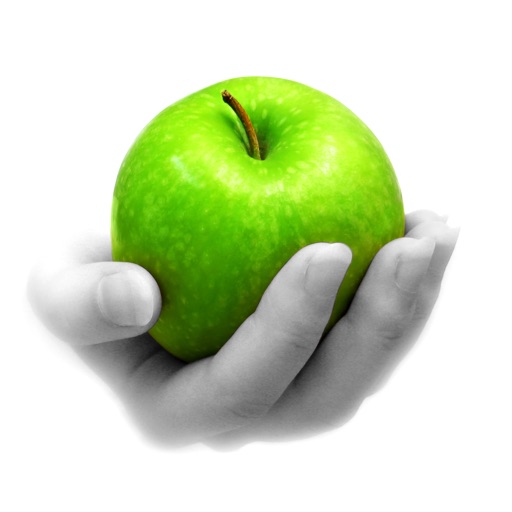
Edit photos by converting them to black and white while retaining selected details. Use multi-touch gestures to paint areas in black and white or restore original colors. Zoom in and out with two-finger pinching. Adjust and export edited images.
Watch videos and audio files in their original formats without conversion. content from device, cloud, or computer. Download videos for offline viewing. Use Picture-in-Picture mode and 360°/VR playback. Adjust equalizer settings.
Capture photos with manual controls for ISO, shutter speed, and flash settings. Apply authentic tones and grain. Export images in high-quality formats. Adjust exposure and focus manually. Share photos directly from the .
Create dynamic effects around the screen with rounded corners. Choose from Heart, Dot, and other customizable patterns. Adjust colors, width, and brightness for personalized settings. Works with notch-compatible devices.
Allows users to add and edit text, remove or change backgrounds, style captions with custom fonts and colors, mirror the screen, and control the remotely. Users can record videos while reading scripts in real time.
Apply blur to portraits for a blurred effect. Adjust blur intensity and tweak brightness, temperature, tint, and saturation. Use live filters during editing. Export edited photos directly.
Edit photos with advanced filters, dynamic effects, and precise adjustment tools. Add text, stickers, and overlays. Export in various formats and share directly to social media or cloud storage.
The app allows users to take photos with adjustable filters and parameters. It supports multiple filters applied simultaneously to pictures taken or stored on the device.
KUPERTINO BIL. YAZ. HALIL IBRAHIM KARAHAN SAFFET ARSLAN MUSTAFA AYTEN MUHAMMET YALCIN OZDEMIR K. S.
Record videos and photos
Record photos and videos with palettes, night vision enhancements, and infrared moods. Adjust intensity and contrast to enhance visuals. Switch between , night vision, and infrared modes instantly.
Scan film negatives using AI to reveal hidden images. Automatically capture and process negatives with a backlight source. Adjust exposure and color balance. Export scanned images in high resolution. Share directly or save to cloud storage.
Capture photos with natural grain and film-like exposures without AI processing. Save images in Raw DNG format for editing in professional tools. Use Apple's ProRaw for high-quality capture. No editing features included.
The app offers tools to enhance photos, remove blemishes, and apply various effects. Users can combine photos into collages, add stickers and frames, and adjust image properties like brightness and contrast.
Correct underwater photos and videos by adjusting color tones with a single tap. Transform dull blue-green hues into natural, vivid colors. No account needed. Access example media in the help section.
Edit photos with curated lighting presets like Soft Pink and Cool White Tone. Adjust brightness and color temperature. Capture selfies and close-ups in low- conditions. Use vibe lights to enhance mood and ambiance during photo sessions.
Create social media posts, flyers, collages, logos, and wallpapers with drag-and-drop tools. Use pre-designed templates for Instagram, Facebook, and phone wallpapers. Add text, images, and graphics.