Take photos with high-resolution settings. Apply 40 free filters, including a popular pink filter. Edit images with color adjustments and effects. Add creative accents to photos. Share edited photos directly from the .
by Masanari Takigawa★ 4.4106 ratingsPhoto & VideoFreeData updated 2026-09-12
Photos by selecting and painting over areas with a magnifying glass tool. Adjust intensity and apply pixelation effects. Remove blemishes and add filters. Export edited images in high resolution.
Capture and edit real estate photos with advanced tools. Apply professional-grade filters and adjustments. Export edited images directly. Access tutorial videos for photography tips. Receive near-pro results via email.
Edit photos with , rotate, flip, and scale tools. Adjust brightness, contrast, and saturation. Add text, stickers, and mixers. Share directly to Instagram and other social media platforms. Export in square format for consistent posting.
Edit photos with filters, adjustments, effects, blur, and focus. Crop, rotate, and draw on images. Apply tone curves and enhance details. Save and share edited photos in various formats.
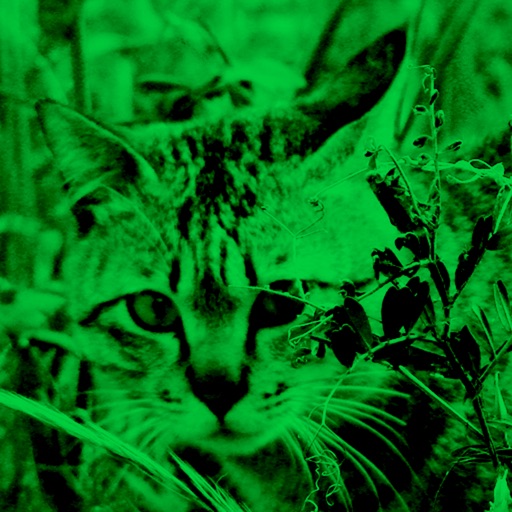
Enhance low-light photos with increased light intake and 8x zoom. Apply thermal imaging, green mode, and binoculars effects. Adjust brightness and contrast for clearer images in dark conditions. Share edited photos directly.
The app enables users to take high contrast photos based upon available light. It makes shooting discreet photos easier for capturing scenes without drawing attention to the camera.
Convert photos to black and white, sepia, or mono formats. Apply splashes to specific areas using touch. Adjust effects like hue, saturation, and contrast. Add photo filters for enhanced visuals. Export edited images in various formats.
Capture photos with adjustable speeds from 0.5 to 15 seconds. Freeze or blur specific areas using focus and splash tools. Adjust contrast and sensitivity settings. Add captions, text, and draw on photos.
Allows users to convert images to black and white while emphasizing specific objects or colors. Users can open existing images or capture new ones with the camera. They can zoom and pan using two fingers or paint with one finger.
Edit photos with 50+ filters and flare effects. Adjust contrast, brightness, saturation, and exposure. Add text with custom fonts and colors. Apply splash effects with multiple shapes and background blur. Save and share edited photos.
Take selfies and photos using front and back cameras. Apply live filters and magic filters. Crop, rotate, and flip images. Add text with various fonts and colors. Apply stickers and share edited photos.
Edit photos with light filters, including circle, frame, star, heart, glasses, and lines. Add text with customizable vector graphics. Apply coloring and create templates for creative artwork. Export edited images directly.
The app allows users to create original movies by selecting photos from their camera roll. Users can preview results before outputting the final video.
Apply woodcut style filters to facial photos for artistic portraits. Use cartoon, watercolor, and mosaic filters for creative effects. Save or share edited photos directly.