Apps Like YI Pro - Yi Action Camera for iPhone and iPad
Record videos and photos with advanced settings
Access advanced settings including saturation, exposure, ISO, and gamma. Capture slow motion, long exposure, and light trails. Browse, download, and edit files on a connected SD card. View tutorials for professional shooting techniques.
by Kacper Dziubek★ 2.822 ratingsPhoto & Video$4.99Data updated 2026-10-31
Record video with manual focus, shutter speed, ISO, and white balance settings. Capture in customizable resolutions, frame rates, and color spaces. Sync multi-cam sessions across up to four devices.
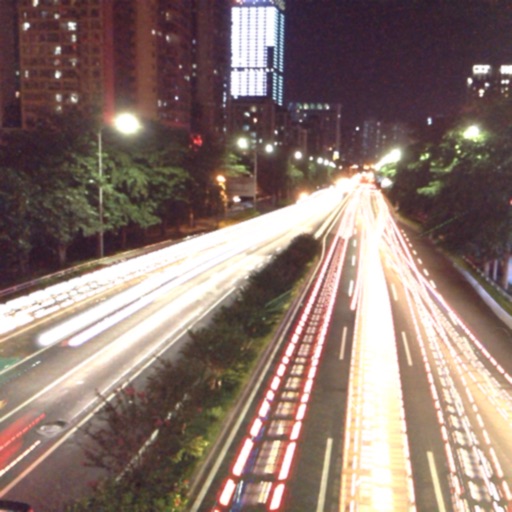
The app captures photos using slow shutter speed effects to create light trails and streams. Users can control exposure time and focus for motion blur photography.
Edit photos with healing, brush, structure, HDR, and perspective tools. Open JPG and RAW files. Save custom styles for reuse. Apply selective filters with precise control. Adjust settings non-destructively and export as JPG.
Capture photos with manual exposure and focus controls, RAW and TIFF support, and real-time adjustments. Edit images with advanced tools, apply effects, and export in high-quality formats. Share photos directly from the .
Access photography tips with instant access to cheat- on composition, exposure, aperture, shutter speed, ISO, lighting, and troubleshooting. View online tutorials and explore photo tours for in-depth learning and inspiration.
Edit photos with 60+ presets and filters including film-inspired tones, vintage looks, moody edits, and retro grain. Apply filters live during photo capture. Export edited images in various formats and share directly.
Capture photos and videos in film styles like 135 film, 120 film, toy cameras, and slide film. Apply real film grain and color tones. Record and save footage directly without post-editing. Share media directly from the .
Edit photos with advanced filters, manual exposure control, and RAW format support. Adjust color, brightness, and contrast. Crop and straighten images. Share edited photos directly to social media or email.
Edit photos with analog filters and real-time presets. Adjust brightness, contrast, and saturation. Add text, stickers, and borders. Share directly or save in multiple formats. Apply retro styles for nostalgic effects.
The app offers 90 filters for photos and videos with independent controls for contrast, saturation, gamma, and brightness. It includes time-lapse, stop-motion, adjustable video speed, and manual focus, exposure, and white balance controls.
Record and stop-motion videos with support for SDR Video, HDR Video, Apple Log, 12MP, and 48MP photos. Adjust playback speed after recording. Edit footage with advanced tools. Export in various formats. Control settings during capture.
Capture photos without editing, using a style interface. Save and organize images. Create customizable memory recaps with photos and optional text. Share finished projects directly.
Control smartphone camera settings including White Balance, Exposure duration, and ISO. Adjust zoom in/out. Enable object tracking. Sync with gimbals via Bluetooth. Customize UI design. Manage gimbal settings for action cameras and DSLR.
Take photos with analog-style cameras featuring filters and film grain. Adjust exposure, focus, and white balance manually. Share images directly to social media or save to the roll.
Record videos and take photos discreetly using fake backgrounds to hide the . Monitor motion with a sensor to automatically save footage. Set a photo timer for interval shots. Share captured media directly.
Beijing Lingguang Zaixian Information Technology Limited
Record and share high-quality videos
Record and edit videos with advanced cinematic controls. Transmit live video via Wi-Fi to multiple devices. Adjust framing, focus, and exposure in real-time. Export in high-quality formats and share directly.
The app helps users find and understand ideal exposure settings for a scene. It makes the relationship between ISO, aperture, and shutter speed intuitive with visual feedback.
Record video and photos with full manual controls for exposure, focus, and white balance. Adjust creative looks and apply filters. Switch between stills and video modes. Export files in high-quality formats and share directly.