Apps Like Low Light Camera Lite - Luminosity ISO Controls for iPhone and iPad
Capture clear low- photos
Low allows users to adjust ISO settings for better image clarity in dim environments. Features include target zoom, manual focus, image freezing, and flashlight activation. Users can capture clearer photos in low conditions.
by Lucas Yamashita★ 1.01 ratingsUtilitiesFreeData updated 2026-09-12
AI-powered enhancements improve image clarity and resolution. Batch processing allows multiple edits at once. Edit history tracks changes made to photos. Export options include various file formats.
Capture photos and videos with high resolution up to 4032x3024 and 4K. Switch between front and back cameras. Use face detection, grid, and image stabilization. Zoom up to 10x. Adjust focus and exposure by tapping.
Measures reflected intensity for manual cameras. Calculates reciprocity adjustments. Displays exposure values for film photography. Integrates with camera apps for real-time readings.
Offers control over ISO, shutter speed, focus, and white balance. Users can shoot high-resolution photos and cinematic videos. Features include -style settings, focus adjustment, and exposure control for professional-quality imaging.
LightPaint allows users to capture painting photos with full manual controls including ISO, shutter speed, focus, and white balance. It supports iPhone modes and real-time ambient detection. Users can create trails, star trails, and artistic effects.
Capture photos and videos using voice commands. Take a photo, start or stop video recording, reverse the , and enable or disable the flash. Voice recognition works offline on iOS 13 and higher. Configure custom phrases for commands.
Control for cameras allows wireless or USB connection. Users can browse, filter, and download photos. Adjust exposure with RGB, histogram, and zebras. Set aspect ratios and grid overlays for composition.
Merge multiple photos into a single artwork by selecting and combining image sections. Remove or re-add parts using finger painting techniques. Adjust brush settings for precision.
Adjust exposure settings with precision, including extended sensitivity and independent calibration. Measure incident and reflected light. Save exposure data. Connect with f/Tools. Choose between two interface designs.
The app allows users to remove and edit backgrounds of pictures. It offers smart and manual cutout tools, with options to move, zoom, rotate, and crop images.
Capture high-quality raw images with manual control over exposure settings. Adjust color, contrast, and clarity in post-processing. Export images in various formats and share directly.
Create photos by capturing trails from moving objects like cars or fire. Freeze motion in clouds or water. Draw with sources in the air. Adjust without time limits.
Detects anomalous humanoid entities using LiDAR and infrared technology. Captures depth data in low-light conditions. Analyzes and depth data to identify potential paranormal activity. Saves and reviews recorded sessions.
Record and stop-motion videos with support for SDR Video, HDR Video, Apple Log, 12MP, and 48MP photos. Adjust playback speed after recording. Edit footage with advanced tools. Export in various formats. Control settings during capture.
Control your camera remotely with . Adjust settings like aperture, shutter speed, and ISO. Use Smart Mode for automatic scene recognition and setting optimization. Trigger focus and exposure adjustments. View live preview and review captured photos.
Control for alpha and Cyber-shot devices. Adjust exposure using RGB, histogram, and zebras. Browse and filter photos. Download images directly. Set aspect ratios and grid overlays for composition. Connect via wireless or USB cable.
Check your appearance with a virtual that provides natural reflections and adjustable brightness. Zoom in for details, freeze frames, and customize frames. Adjust lighting for dim environments and view reflections without camera limitations.
Utilizes phone LED for lighting needs with adjustable settings and color options.
The app provides flashlight and strobe light functionality using the phone's LED. It includes multiple brightness and strobe speed options along with colored screen features.
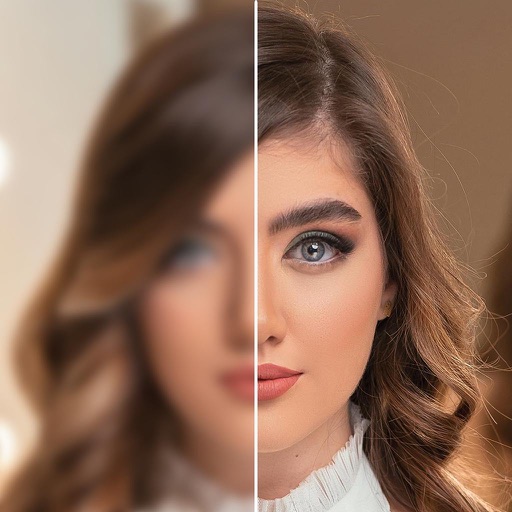
Enhance low-quality photos using machine learning. Import images from gallery or capture new ones with camera. Tap a button to automatically improve resolution. Compare before and after enhancements in real time.