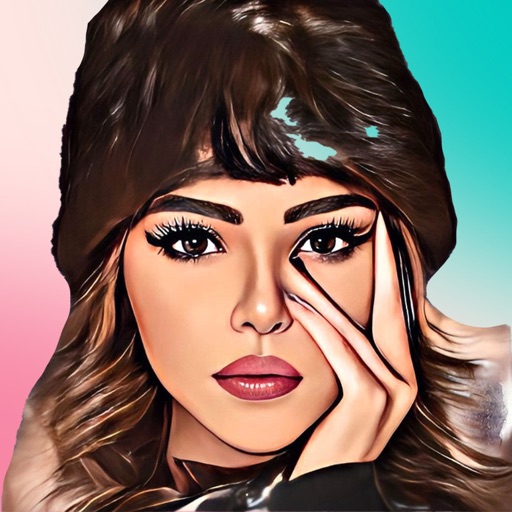
Apply AI-based filters to transform photos into -style art. Choose from various pre-designed templates. Edit and save modified images directly. No internet required for processing.
by Osawa Shunsuke★ 4.817 ratingsPhoto & VideoFreeData updated 2026-09-12
Create and style photos with single tap effects. Apply 8 filters including , Cartoon, and Dots. Share images to social media or save to photo library. Print photos directly.
Edit photos using AI-powered tools for instant transformations. Remove objects from images automatically. Adjust colors, brightness, and contrast with advanced settings. Apply filters and effects for creative enhancements.
Edit photos with gold and apply filters for enhanced visuals. Add text and stickers to images. Create montages and share edited photos directly. Adjust brightness and contrast for better clarity. Export images in various formats.
Turn photos into sketches, oil paintings, and watercolor with style transfer. Apply filters to enhance visuals. Export edited images in various formats and share directly.
Connect your smartphone to the printer via Bluetooth. Select and edit photos for printing. Choose between -Natural Mode for standard quality or -Rich Mode for vibrant colors. Use QR Print Mode to add QR codes to prints.
Create and edit notes with customizable icons and titles. Search for specific entries. Insert images into notes. Share notes via supported methods. Store data locally without external sharing.
Create collages with customizable blur backgrounds and adjustable layouts. Apply filters like black and white, vintage, and retro to enhance images. Edit photos by resizing, cropping, or deleting elements.
Transform photos into paintings with art filters inspired by famous artists like Warhol, Modigliani, Picasso, and Rembrandt. Apply 50+ aesthetic lens effects. Edit images without Photoshop skills. Share edited photos directly.
Edit photos with HDR effects, filters, and detailed adjustments. Enhance images with powerful lighting and contrast tools. Save and share edited photos in various formats.
Transform images into artwork using famous art styles like The Starry Night and The Great Wave off Kanagawa. Apply AI-generated patterns with neural networks. Edit and share the resulting artwork directly.
Edit photos using AI-generated filters based on text prompts. Transform selfies and images with unique styles and magical effects. Apply AI-powered enhancements without complex tools or sliders. Share edited photos directly from the .
Create and edit visual content using AI-powered tools. Generate images, videos, and designs with text prompts. Customize styles, colors, and layouts. Export and share finished projects directly.
Apply effects to photos including sepia tone, grain, darkened edges, distressed paper, and faded highlights. Adjust intensity settings and export edited images in various formats.
Edit photos with retro filters and . Add antique textures and color adjustments. Apply nostalgic styles for a timeless look. Save and share edited images directly.
Turn photos into cartoons with filters and effects. Apply over 30 styles and 100 background effects. Edit selfies or select images from the gallery. Export and share the cartoonized photos.
Apply swaps using AI technology. Choose from various templates to alter hairstyles, outfits, and facial features. Generate headshots, sporty photos, travel images, career portraits, and fantasy styles. Edit and export transformed images directly.
Rtwork from text input using AI technology. Input ideas and watch them transform into visual art instantly. Customize styles and refine outputs. Share or save generated images directly.
Remove backgrounds from images and create transparent or colorful alternatives. Edit colors, apply filters, add borders, and include text. Save edited photos as high-quality PNG or JPEG files.