Control LEGO models with drag-n'-drop coding. Access digital building instructions and video tutorials. Watch interactive activities. Build and program robots using simple steps. Connect LEGO Creative Toolbox for enhanced functionality.
by LEGO System A/S★ 4.64,261 ratingsEntertainmentFreeData updated 2026-09-12
Control Lego sets via iOS gamepad. Adjust motor speeds, trigger sensors, and manage multiple hubs. Supports SBrick, BuWizz, and various Lego HUBs for remote operation and interaction.
Play with friends in Battle Royale, Zero Build, and Blitz modes. Battle to be the last player standing. Explore free developer-made islands for deathruns, zombie survival, and more. Build structures and customize characters.
Explore LEGO creations using old bricks. View and interact with public gallery entries. Share your own builds. Watch videos featuring famous LEGO characters. Learn from others' designs and contribute to the community.
Connect LEGO figures via Bluetooth for interactive play. Follow digital building instructions and access tips for alternative builds. View progress and explore creative ideas for levels and structures.
Simulate LEGO Technic models with realistic driving mechanics and multi-function controls. Test handling skills and complete challenges to unlock badges. Watch instructional videos and access authentic sound effects and features.
Watch family-friendly gaming videos and gameplay from popular titles like ROBLOX, WWE, LEGO, and Nintendo Switch. Stream unboxing videos for toys from LEGO Batman Movie, Power Rangers, Spider-Man, and Justice League.
Build LEGO sets using 3D views with zoom and rotation. Follow step-by-step to place each brick accurately. Collaborate with others to build together in real time.
Learn through playful interaction with characters like Spider-Man and Iron Man. Build with colorful 3D LEGO DUPLO bricks. Solve simple problems and engage in open-ended pretend play.
Explore interactive learning through building with colorful 3D LEGO® DUPLO® bricks. Access themed play packs for various interests. Engage in hundreds of open-ended activities. Support multi-touch interactions. Receive parent tips for shared play.
Create lesson plans and manage student progress. Assign and track coding challenges using visual and text-based blocks. Integrate with LEGO SPIKE hardware for hands-on STEAM activities. Monitor classroom performance and provide feedback.
Control LEGO Up models via Bluetooth to operate motorized engines. Program custom movements and trigger responses to real-world events. Build and test creations using LEGO components. Track and manage projects within the .
Control LEGO® devices via Bluetooth connection. Pair with Move Hub by activating Bluetooth on iOS device and pressing the green button. Monitor and manage LEGO builds remotely. Supports Powered Up and CONTROL+ Smart Hub.
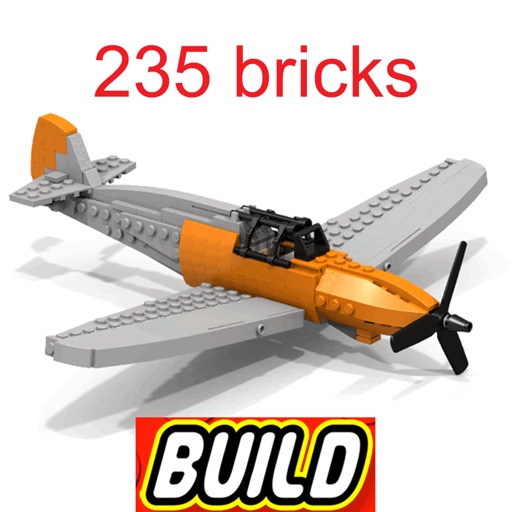
Browse 3D animated building instructions for Lego® sets. Follow step-by-step guides to create animals, architecture, planes, trains, and Star Wars models. Challenge kids to build alone or compete against time. Add new models weekly.
Use AR to visualize LEGO Technic models in real-world environments. Interact with realistic sound effects and functional features. Learn about robotics and engineering through integrated educational content.
Stream featuring Cocomelon, Pokémon, Sesame Street, and other kid-friendly content. Filter content by age. Pause, rewind, and fast-forward . Search for specific shows or movies. Enable parental controls to restrict access.
Teach children to code with interactive lessons and step-by-step tutorials. Create and share projects using block-based programming. Track progress and receive feedback. Sync with classroom accounts for teacher oversight.