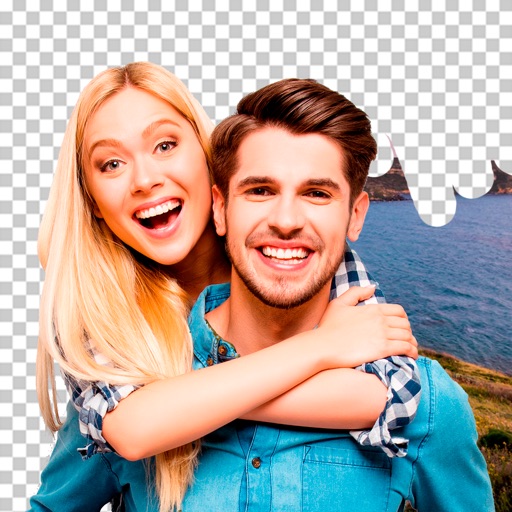
Create photo collages and composite images by combining up to 11 photos in a single layer. Remove unwanted areas with the background eraser tool. Adjust color tones to enhance image appearance. Export edited photos in various formats.
Create and edit videos and images with trimming, cutting, and merging tools. Add music, text, and stickers. Export to iOS devices or social networks like TikTok, YouTube, Instagram, and Facebook.
Remove from images using AI-powered cutout. Select between "Star" mode for edge detection or "Auto" mode for pixel-based erasing. Save transparent images for use as stickers in other apps.
Edit photos with AI-powered tools like face swap, background removal, and object removal. Enhance image quality with the quality enhancer. Convert images to video. Use the AI agent for generating photos and editing concepts.
Edit by removing or changing the background using AI Cutout. Cut out specific areas with the Lasso tool. Blend cut-out elements with different backgrounds. Export edited images.
Edit photos with 200+ filters and AI art effects for enhanced visuals. Adjust brightness, contrast, and saturation. Add text, stickers, and animated effects. Export in various formats and share directly. Apply AI flash for vintage aesthetics.
Photos with clipping tools to remove backgrounds, apply predefined effects like glitch and duotone, and enhance images with magazine-level touch-ups. Add text, stickers, and unlimited undo/redo features.
Edit photos by removing objects and changing backgrounds. elements to create montages. Adjust transparency and replace backgrounds. Save and share edited images directly.
Edit photos with AI-enhanced tools for clarity and resolution. Remove unwanted elements and separate figures or objects. Apply AI skin corrections and custom filters. Adjust HSL and curves for precise color and tone control.
Edit photos by removing objects, erasing backgrounds, enhancing quality, expanding canvas, or replacing elements. Generate new images with AI filters. Perform basic edits and apply creative AI effects. Save and share edited photos directly.
Edit with one-click cutout and batch processing. Remove unwanted elements and replace backgrounds. Create collages and ID . Use templates and stickers for design. Perform multi-layer synthesis and green screen effects.
Remove unwanted objects, people, or blemishes from photos. Crop, resize, and adjust aspect ratios. Replace or fix backgrounds and foregrounds. Erase text, lines, and tattoos. Improve clarity and tweak brightness, contrast, and saturation.
Cut photos with AI to remove backgrounds and isolate subjects. them onto new backgrounds or other images. Swap faces between photos and add missing people to family shots. Create collages by combining multiple images.
Remove photo backgrounds using AI-powered object detection. Automatically isolate subjects for transparent image export. Edit and save images for use in product photos, thumbnails, stickers, and memes.
Remove backgrounds from photos using the magic tool. Manually crop or restore parts of an image. Create stickers and edit outlines for YouTube thumbnails. Export high-quality PNGs without watermarks.
Unwanted or background clutter from photos using AI-powered erasing. Reconstruct the background to fill in removed areas. Edit and enhance images with advanced AI technology. Save and share edited photos directly.
Edit photos with background removal, object elimination, and AI-style transfer. Add text, stickers, and custom fonts. Generate AI art, create flyers, and apply effects. Export in various formats and share directly.
Edit videos by importing any length footage and selecting a layout or stencil. Add text or stickers. Cut video into 15-second fragments or custom lengths. Save clips to Camera Roll in chronological order. Share edited videos on Instagram Stories.