Allows users to create motion or time lapse videos. Capture frames with a full-screen view. Support for portrait and landscape orientations. Save projects for later editing. Adjust frame rate for control over video style.
Print photos with high-quality lab and fast UK delivery. Order custom prints in various sizes and formats. View and select photos from your device. Add text or captions to images. Track order status and receive quality checks before delivery.
Sync photos and videos to a digital photo frame via phone. Bind frames using invitation code or QR code. Send and manage media on connected frames. Send greeting cards or pop-up messages to frames. Connect multiple frames with one account.
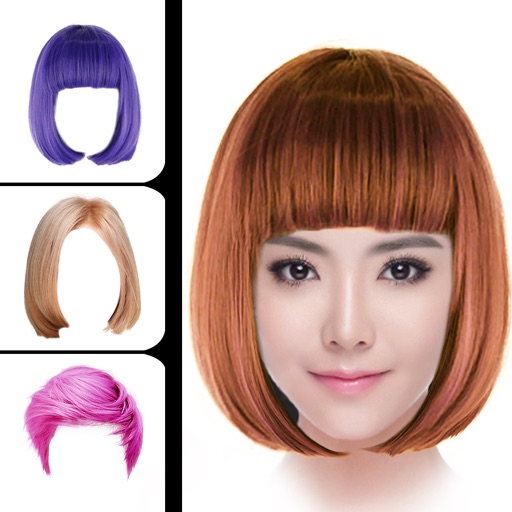
Change hair style using smart face recognition to automatically match hairstyles. Dye hair by selecting colors and applying them directly to the hair. Export styled results for viewing or sharing.
The app provides vector drawing tools and flipbook-style animation. Users can create frame-by-frame animations or single-frame vector artwork with various drawing tools and shape options.
Control RED DIGITAL CINEMA DSMC™ cameras via Wi-Fi. Adjust recording settings, frame rate, timecode, and shutter speed. Preview live feed, manage pre-record, and apply lookaround. Monitor histogram and goal posts.
Create dynamic posts by splitting images into multiple pieces. Adjust cropping windows and customize the number of sections. Share full-size panoramic photos without resizing.
With filters, cropping, and adjustment tools. Apply beauty enhancements and double exposure effects. Use color splash and resize images. Access frames and story templates. Change resolution and export in multiple formats.
Create portraits with vintage photographic effects. Apply four styles including B&W, color, high contrast, and sepia. Adjust eye intensity, grain, and depth-of-field. Supports portrait mode for enhanced background blur.
Apply filters resembling imaging in real time. Capture photos with enhanced visual effects. Record videos using iOS screen recording. Adjust settings for filter intensity and exposure. Share edited content directly.
Record videos and images from a distance. Configure safety mode for controlled flight. Capture panoramic 360-degree views. Access instructional content for drone operation. Enable aerial photography features.
Functions as a that adjusts brightness automatically to capture images in both bright and dark environments. It does not support video recording; users must use the standard iOS screen recording function for videos.
Take time-lapse photos with adjustable interval settings. Create movies from captured images. Store photos directly in the . Export videos in sideways orientation. Adjust settings for photo and video capture.