Apps Like Learn how to Draw 3D for iPhone and iPad
With animated step-by-step guidance
To create anamorphic drawings with animated step-by-step guidance. Follow each step by watching animations and replicating lines. Repeat steps as needed. View drawings from specific angles to see the final image.
by ben massoud hamza★ 4.227 ratingsEducationFreeData updated 2026-09-12
On an with multiple colors and add typed text to illustrations. Erase or delete drawings. Choose background colors for the . Save creations and share via email or Facebook. Additional markers and backgrounds available in the complete version.
Use your phone to project templates onto paper for . Upload and create custom art. Access sections for anime, tattoos, and cars. Record video of your process. Sync drawings with AR features for enhanced sketching.
Children can create drawings using a variety of brushes, including fluorescent and graffiti styles. They can paint freely with colorful tools. The provides a creative environment for learning to draw and explore artistic expression.
Scan tickets to collect symbols. Earn entries for monthly drawings. View collected symbols and track progress. Participate in promotions during specified periods. Share results with friends.
Create 3D art using step-by-step tutorials. Access a large collection of drawings and techniques. Learn without prior skills through self-guided lessons. Practice drawing various styles. Export and share finished artwork.
A blade for a spinning top and battle opponents. Customize blade attributes like speed, power, and ink. Earn fight money to upgrade your spinner's abilities and enhance performance.
Learn to characters and animals with guided tutorials. Choose colors and customize designs. Save and share drawings. Access a variety of kawaii characters, anime, food, and holiday themes.
Learn to characters using augmented reality guidance. Follow step-by-step tutorials to sketch facial features, body proportions, and expressions. Use AR overlays to visualize and refine your drawings in real time.
Access -themed pages and drawings. Create and customize artwork with easy-to-use tools. Share finished drawings via the . Includes a pixel art workshop for detailed designs.
The app allows users to draw geometric shapes, color drawings, and retouch photos. Users can share their creations with friends using different drawing tools and colors.
Allows users to create drawings with customizable tools and layers. Share artwork with friends or join collaborative sessions. Access weekly drawing lessons and tutorials. Save and organize projects in a personal gallery.
Teaches drawing through interactive lessons and animated strokes. Breaks down drawings into simple shapes. Allows users to practice on a digital canvas. Offers guidance for both beginners and experienced artists.
Teaches children to correctly using animated step-by-step guidance. Features include drawing animals, flowers, and objects with assisted strokes. Includes difficulty levels to practice sketch formation and fine motor skills.
Learn to -themed characters with step-by-step tutorials. Choose from options like Lady Vampire, Zombie, Tattoo Skull, Jack Skellington, Chibi Death, and Grav. Follow illustrated instructions to create each design. Save or share completed drawings.
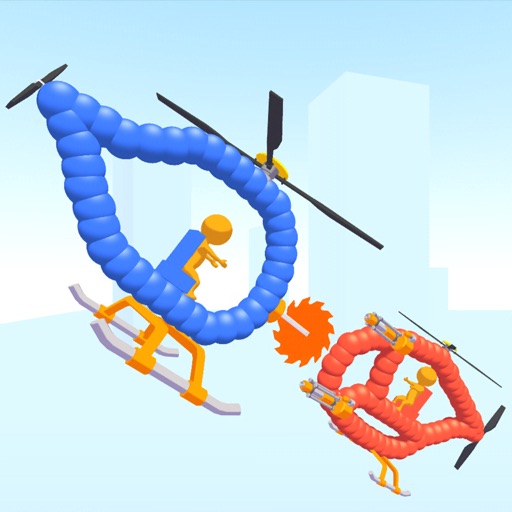
Create custom helicopters with drawing tools, select from guns, machine guns, and lasers. Battle enemies in increasing difficulty levels. Progress through stages to face stronger opponents. Play freely without cost.