Apps Like Painting: Draw, paint editor for iPhone and iPad
And color with fun brushes
Kids allows children to create artwork using textured brushes, varying brush sizes, and a bucket tool. Users can draw lines, figures, and save their images. The interface is designed for easy use by young children.
by Nguyen Kin★ 0.00 ratingsEducationFreeData updated 2026-09-12
Game for children allows users to select from 5 themed sets with 75 pages. Choose from pencils, brushes, paints, and various strokes. Add backgrounds and special effects. Save drawings and share them.
Games allow users to select color by number puzzles and images by tapping colors. Features include on pages, recoloring existing artwork, and saving progress. Users can access pixel art books and sketch freely without internet connection.
Create and customize digital artwork with a wide range of colors and brushes. Choose from pre-designed pages or upload personal images for . Switch to dark mode to reduce screen strain. Save and share completed drawings.
Create drawings using 14 brushes like glow, rainbow, crayon, and oil. Randomly select brushes and colors for each stroke. Import photos from device albums to on. Record drawings as video clips to share with others.
Prepare wooden boards by sanding them. Carve designs using a virtual tool. the carved surfaces with various colors. Save and share completed artwork. Adjust carving and painting details for precision.
The app offers over 270 coloring pages with 20 vibrant colors and a magic brush tool. It includes themes like animals, princesses, and cars, with monthly updates providing fresh content.
Customize dolls with skin tone, eye , hairstyle, and makeup. Decorate scenes with art tools like brushes, spray paint, and makeup. Place in themed environments. Share finished designs.
Customize dolls with skin tone, eye , hairstyles, and makeup. Dress dolls with colorable fashion items. Place in themed scenes. Use brushes, spray paint, and makeup tools for artistic designs. Share completed artwork.
Color images of characters and skins using bucket, pencil, brush, and eraser tools. Customize artwork with over 100 stickers. Access hundreds of images from the universe. Save and share completed colorings.
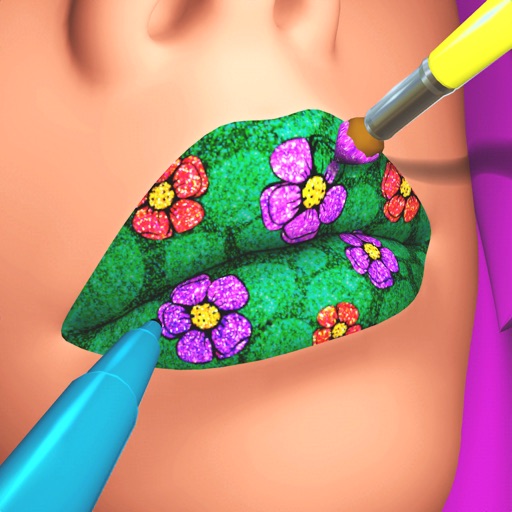
Create custom lip art using lipsticks, brushes, gloss, glitter, sequins, and rhinestones. Design unique lip art styles and share creations. View and compare user-generated designs. Track likes and engagement metrics.
Allows users to play by puzzles with high-resolution images. Users can select colors, fill in numbers, and complete artwork. Features include undo options, zoom capabilities, and save progress.
Lets users select and color numbered sections of images. Each area has a linked to a specific color. Users can choose colors, fill in sections, and save or share their artwork. Features include free pages, numbered guides, and color selection tools.
Take photographs or upload images from the device. on images using various brushes, colors, and textures. Add to photos. Color drawings and save creations.
Book allows children to color pages featuring animals, vehicles, and objects. Includes interactive games to develop fine motor skills and shape recognition. Features sound effects and simple navigation for young users.
Use fingers to mix colors from a palette and according to a sample image. Match colors and shapes to earn points. Complete stages to achieve three stars.
Move a with finger gestures to collect and mix color spheres. Paint on a by arranging colors. Adjust brush size and opacity. Save and share artwork directly.
Use your phone camera to draw on any surface. Access templates for animals, cars, and nature. Utilize the built-in flashlight for better visibility. Share completed drawings with friends. Create art using augmented reality technology.