Apps Like Photo Paint & Stickers for iPhone and iPad
Edit photos, add , save creations
Take photographs or upload images from the device. on images using various brushes, colors, and textures. Add to photos. Color drawings and save creations.
by PESCAPPS GAMES SL★ 0.00 ratingsGamesFreeData updated 2026-09-06
Edit photos with enhancement tools, effects, and color splash. Add stickers, frames, and overlays. Create collages and custom drawings. Crop, rotate, flip, and straighten images. Adjust brightness, contrast, and saturation.
Create and customize digital artwork with a wide range of colors and brushes. Choose from pre-designed pages or upload personal images for . Switch to dark mode to reduce screen strain. Save and share completed drawings.
Draw and color by swiping to match displayed images. Match patterns with your artwork. Collect gems to unlock brushes and tools. Explore 300 levels of painting with varying difficulty.
Pages allows users to select from 300+ pages and add stickers or special effects. Mystery paint feature lets users create unique drawings. Save and load progress. Share drawings via preferred platform. Create custom drawings or wallpapers.
Allows users to play by puzzles with high-resolution images. Users can select colors, fill in numbers, and complete artwork. Features include undo options, zoom capabilities, and save progress.
Play interactive games to learn the alphabet, count numbers, and recognize shapes. Practice memory, logic, and concentration through puzzles and pattern games.
Customize keycaps with paint brushes, stencils, and spray paint. Add colors and artwork to create personalized designs. Save and share creations directly.
Create paintings using brushes and sprays. Adjust colors and customize settings. Save and share artwork directly. Import images for reference. Use layers to organize different elements.
Color images with 2D drawings and various tools including a bucket for filling areas. Explore daily updated collections of images. Share completed drawings via social media or email.
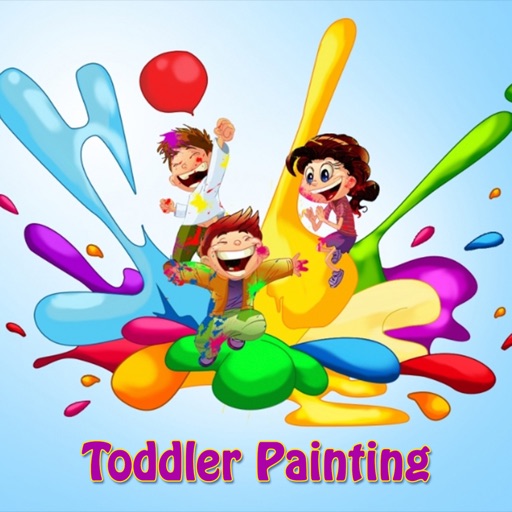
Allows children to draw freely with various brushes. They can save and revisit previous drawings. The supports drawing on iPhone, iPad, and iPod Touch.
Coloring pages allow users to animals, flowers, nature scenes, people, places, mandalas, and more. Follow numbered grids to fill in colors. Save progress and share completed artwork.
Enhance photos by removing unwanted guests, captions, and stickers. Clean up images with AI-powered tools. Declutter backgrounds and refine details for clearer visuals.
The app allows users to create animated glow art in 3D using various brushes and a full spectrum of colors. Users can pan, zoom, and spin their creations, record videos, and utilize symmetries up to 64.
Kids allows children to create artwork using textured brushes, varying brush sizes, and a bucket tool. Users can draw lines, figures, and save their images. The interface is designed for easy use by young children.
Color images with 2D artwork and various tools including a bucket fill. Explore daily updated collections of images. Share completed drawings via social media or email. Adjust colors and save progress.
Create drawings by combining different art styles. Divide images into sections and apply unique styles to each part. Mix and match colors and patterns to design custom artwork. Save and share completed creations.
Create digital illustrations with painting, coloring, and drawing tools. Use multiple layers, customize brushes, and mix colors for precise control. Apply textures and save or share artwork directly.