Plus provides arithmetic and scientific calculations with live expression preview and error detection. Perform operations in exact form, fractions, and scientific notation. Switch between standard and scientific modes. Share results directly.
by Wern Jie Lim★ 4.7133 ratingsUtilitiesFreeData updated 2026-09-12
Calculate loans, track investments, plan retirement
Calculate mortgage payments and generate amortization tables. Compute tips and loan details. Analyze time value of money, dates, percentage changes, and break-even points. Perform planning for home purchases, investments, and retirement.
Perform calculations with a multi-line display that supports complex expressions and order of operations. Edit equations, save history, and switch between and basic modes. Share results via copy or email.
Performs X, Y, R radius calculations and theta measurements. It includes -specific functions for ducting offsets and angle computations. Features dimensional math, geometry, and trigonometry tools for precise construction calculations.
Perform complex mathematical calculations including trigonometric functions, logarithms, and exponentials. Switch between radians and gradients. Edit equations and save results for future reference.
Perform complex calculations with support for hexadecimal, octal, and binary. Use RPN mode and multi-line display. Access unit conversions, scientific constants, and engineering notation. Enable multiple undo and redo. View results on a paper tape.
Perform basic and advanced calculations with large, illuminated buttons. Use the scientific for 30 functions. Convert units, calculate loans, and determine tips. Includes standard, scientific, unit converter, loan, and tip calculators.
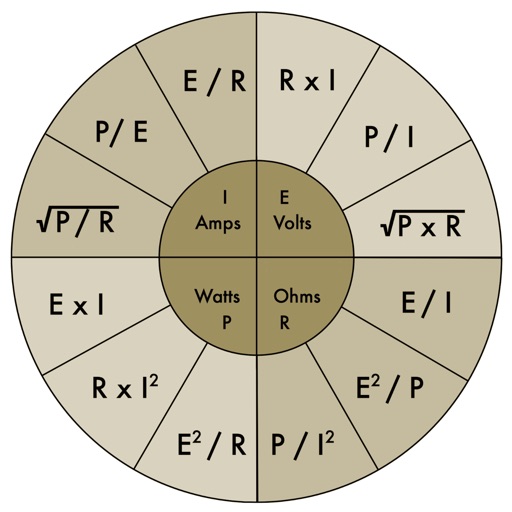
The app provides an electronic pocket reference guide for electrical professionals. It includes sections on motors, wiring, ampacities, grounding, voltage drop, conduit bending, tools, and safety.
Offers standard and advanced math functions including percent, negative sign, memory, brackets, and history. It includes trigonometry, roots, exponents, and logarithms.
Allows users to save formulas for repeated use. Enter variables to recalculate results without rewriting formulas. Supports trigonometric functions, logarithms, factorials, and permutations. View saved formulas and variables for easy access.
The app offers unit and currency conversion across hundreds of categories. It includes mortgage, loan, and tip calculators, with the ability to edit, add, or download templates.
Perform complex calculations using 10 built-in calculators including scientific, financial, and unit conversion tools. Access 10 financial worksheets for budgeting, loans, and investments. Save and share calculation results.
Perform calculations using a basic, scientific, currency, and units calculator. View calculation history, convert numbers to speech, and synchronize results across all calculator modes.
Perform calculations with advanced operators and scientific functions. Use trigonometric, logarithmic, and round functions. Calculate tips and discounts. Edit expressions on the fly with a magic cursor. Share results directly.
Plus allows users to perform basic math operations including addition, subtraction, division, multiplication, squaring, and square root. It features large buttons, clear numerals, and horizontal mode for additional controls.
Perform basic and scientific calculations with equation display and history tracking. Switch between binary, octal, decimal, and hexadecimal modes. Calculate fractions directly. Use widget for quick computations.
Perform basic and scientific calculations with arithmetic and trigonometric functions. Switch between portrait and landscape modes. Store frequently used values for quick access.