Create notes quickly with one step. Add text, links, and lists. Share notes directly with others. Save meeting details, addresses, and important data. Organize tasks and reminders.
by Pratik Patel★ 4.26 ratingsUtilitiesFreeData updated 2026-09-11
Record audio and phone calls continuously without interruption. Save and organize recordings with timestamps. Edit audio clips, add notes, and share files directly. Sync across devices and access recordings from any location.
Take notes, create to-do lists, and organize tasks in one . Color-code entries for quick reference. Add reminders and set deadlines. Sync notes across devices. Import and export files.
Create and organize notes with customizable text, colors, and reminders. Add voice memos and attach images or files. Share notes via email or messaging apps. Set recurring reminders and synchronize across devices.
Organize digital files, links, and notes in one place. Create custom folders, add tags, and search content quickly. Sync across devices using iCloud. Encrypt data locally and control access permissions. Share items securely with others.
Record audio and convert speech to text in real time. Edit and organize transcribed notes. Share or export notes in various formats. Supports live transcription for meetings and conversations.
Write notes with natural gestures and minimal buttons. Adjust font size via pinch-to-zoom. Slide notes aside to hide the keyboard. Flip through notes with finger flicks. Customize text appearance without predefined fonts or paper styles.
The app creates reminders for past and future events as timers with notes. Users can track time elapsed since important events or time remaining until upcoming meetings.
Scan photos wirelessly, create slideshows with voice
Create slideshow movies with voice and text overlays. Add voice recordings from yourself or others. Share finished movies directly from the . Scan photos wirelessly using the FF-680W scanner.
The app allows users to create and categorize daily notes. It supports text, audio, video, photo, and list note types, with options for multiple pages and reminders.
Send emails for reminders, , and to-do tasks quickly. Type and send in under a second. Change email addresses with a tap. Share browser links via a widget. Send emails from Apple Watch. Label each email for organization.
Organize with unlimited folders, custom colors, and sorting. Add handwritten , links, and multiple photos. Set reminders, track character counts, and pin important folders. Delete folders in batches and view note counts in folder lists.
Record audio notes and convert speech to text automatically. Highlight key points and organize ideas with AI-powered tagging. Search notes by voice or text. Share notes directly or export as formatted documents.
Access and manage academic papers with PDF annotation tools. Highlight text, add notes, draw freehand, and insert text annotations. Sync with or libraries across devices. Share annotated documents directly.
Create , to-do , and memos in one . Add text, bullet points, and reminders. Organize entries into folders. Search for specific quickly. Export as text files. Sync across devices.
Create and manage unlimited lists, notes, and list items. Add voice-to-text input. Share lists or notes with others. Set reminders for tasks. Sort items alphabetically, by completion status, or use drag-and-drop.
Create and manage notes with drag-and-drop functionality. Assign colors to differentiate memos. Use Touch ID for quick access. Sync notes across devices via iCloud. Set reminders for specific dates and times. Share notes directly with others.
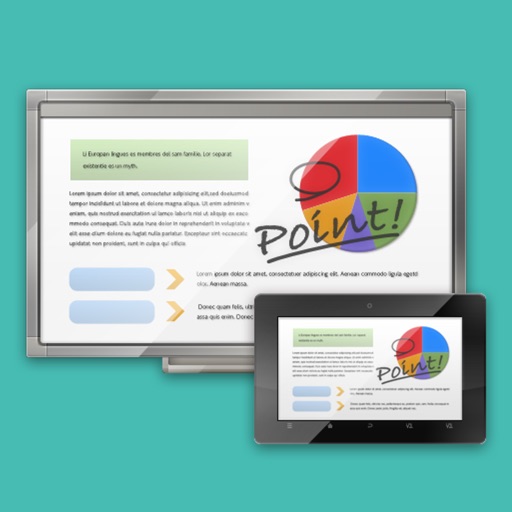
The app links a SHARP Touch Display or computer with a client device like a tablet in a wireless LAN environment. It enables sharing of meeting materials, screens, and interactive writing for annotated notes.
Manage kitchen tasks with configurable that function even when the is not running. Calculate servings and convert measurements using a built-in chart. Save notes and favorite websites for quick access.