Apps Like Photo Background Eraser – Remove, Replace & Blend for iPhone and iPad
Edit photos, remove backgrounds, images
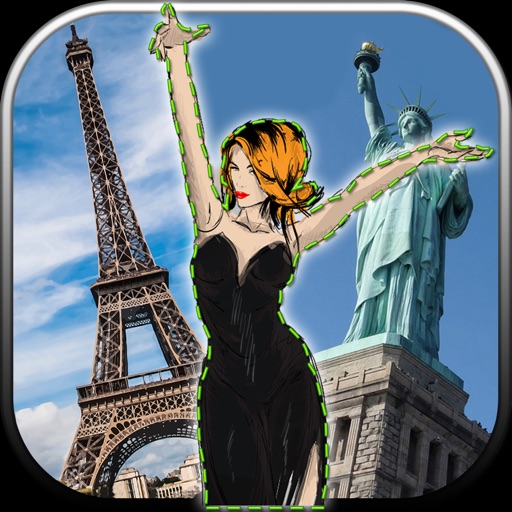
Edit photos by removing unwanted backgrounds and replacing them with scenic images. Cut out subjects and paste them onto new backgrounds. images for seamless montages. Share edited photos directly.
by Vladimir Djordjevic★ 2.210 ratingsLifestyleFreeData updated 2026-09-11
Remove backgrounds from images to create transparent or customized backgrounds. Edit photos to eliminate imions. Replace or erase backgrounds for product images. Export edited images in various formats.
Remove backgrounds from images using AI-powered erasing. Cut out objects with precision and create transparent backgrounds. Save as PNG or edit layers for detailed adjustments. Share edited images directly.
Edit photos by adjusting shape with a slider, protect background from distortions, remove unwanted objects with a swipe, blur specific elements, and automatically remove backgrounds. Access advanced features via a subscription.
Edit photos with over 900 effects including montages, frames, and caricatures. Create collages and holiday e-cards. Apply filters and adjust colors. Remove watermarks and export images without ads. Share edited photos directly.
Backgrounds from images using a variety of tools. Select and erase unwanted areas with precision. Save as transparent PNG or replace with a new . Edit and refine edges for clean results. Export edited images in multiple formats.
Remove backgrounds from images using AI technology. Edit and generate new backgrounds. Create transparent images for social media, e-commerce, and design projects. Tap to remove backgrounds automatically.
Unwanted and background distractions from photos using AI-powered editing. Edit images by selecting and erasing specific elements. Adjust lighting and colors for enhanced clarity. Save and share edited photos directly.
Edit photos by highlighting colors, removing or changing backgrounds, and blurring specific areas. Use healing and smoothing tools for precise adjustments. Create photo montages and export edited images directly.
Photos with clipping tools to remove backgrounds, apply predefined effects like glitch and duotone, and enhance images with magazine-level touch-ups. Add text, stickers, and unlimited undo/redo features.
Remove backgrounds from photos using AI-powered erasing. Select and isolate subjects with precision. Adjust edges and refine details. Export edited images in various formats. Share directly or save to device storage.
Edit photos by selecting and removing unwanted elements such as people, objects, trash, pimples, lines, or other unwanted content. Retouch images to improve appearance. Save and share edited photos.
Edit with one-click cutout and batch processing. Remove unwanted elements and replace backgrounds. Create collages and ID . Use templates and stickers for design. Perform multi-layer synthesis and green screen effects.
Crop photos using a cropping tool. backgrounds and unwanted objects with an eraser tool. Select areas to erase and create transparent backgrounds. Edit images for white or clean backgrounds. Export edited photos and create stickers.
Objects, people, blemishes, and acne from photos using AI-powered background removal. Edit images to replace or erase unwanted elements. Export edited photos in various formats.
Edit photos with AI-powered background removal and erasure. Refine edges manually for precise results. Enhance image quality and create professional-looking photos without design skills.
Chengdu Everimaging Science and Technology Co., Ltd
Edit photos with AI voice commands
Edit photos using AI-powered tools that apply multiple adjustments based on voice or text commands. Crop, rotate, and enhance images with one-tap edits. Add text, stickers, and filters. Export in various formats and share directly.
Edit photos by removing unwanted background elements. Add romantic and stickers to images. Create collages for Day. Decorate pictures with customizable art tools. Share edited images directly.