Fry the last frame of videos to upload to TikTok. Edit memes by frying images or GIFs from the photo library or Gfycat. Share finished memes to camera roll or via iMessage as stickers. Open created memes in TikTok and Snapchat.
Create collages with customizable blur backgrounds and adjustable layouts. Apply filters like black and white, vintage, and retro to enhance images. Edit photos by resizing, cropping, or deleting elements.
Create collages by combining multiple photos into layouts. Choose from 50+ grid styles and tree or 3D modes. Edit photos with cropping, filters, and text addition. Share finished collages directly.
Capture photos with a variety of frames including general, antique, fame, fun, heart, flower, kid, Christmas, Halloween, diamond, and gold. Use custom frames with adjustable transparency, hue, saturation, and brightness. Apply filters and effects.
The app offers photo editing tools including filters, effects, and adjustments for brightness, contrast, and saturation. Users can add text and stickers to their images before sharing them.
Edit photos with advanced tools like layers, masks, and adjustment brushes. Crop, rotate, and resize images. Add text, stickers, and special effects. Export in various formats and share directly.
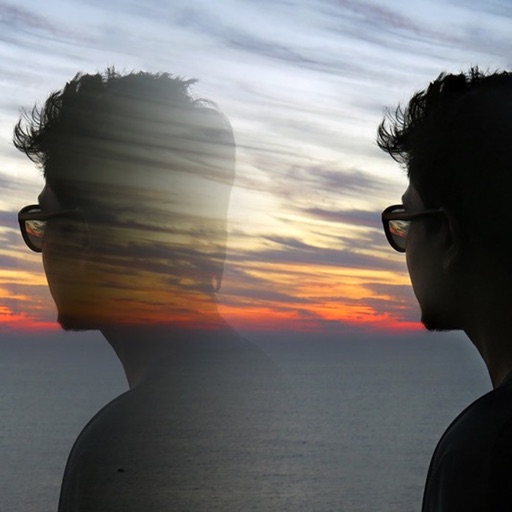
Edit photos with 12 blend modes including overlay, multiply, difference, and exclusion. Combine foreground images from a growing library of over 400 options. Export and share edited creations.
Edit photos with filters, cropping, and adjustment tools. Add text, stickers, and borders. Export in various formats and share directly. Apply advanced effects and retouch skin tones. Adjust brightness, contrast, and saturation.
Create photos by setting diameter in pixels, millimeters, centimeters, or inches. Import or capture photos, zoom, and move images. Edit with filters, focus, effects, and text. Adjust colored borders. Save, print, email, or share the final image.
Take photos with front- and rear-facing cameras. Apply real-time effects like Twirl, Light Tunnel, X-Ray, Squeeze, and Kaleidoscope. Share photos via AirDrop, Mail, Messages, iCloud, or social networks.
Create animated GIFs and stop motion videos with real-time rendering. Add, remove, and reorder frames during editing. Adjust speed, duration, and play mode. Add music and apply filters. Export and share finished projects.
Edit photos with color filters, brightness, and contrast adjustments. Add stickers and text. Apply film-inspired presets and advanced camera controls. Export edited images in multiple formats.
Apply to photos to change their appearance. Save edited photos to roll automatically. Share photos directly without manual export. Purchase once for permanent use.
The app allows users to create document photos for passports and identity cards. It offers image editing tools, size adjustments, and multiple output options for printing.
Edit photos by flipping, rotating, cropping, and applying filters. Use AI to suggest optimal filters. Flip images live during camera use. Batch edit multiple photos and save directly to the library.
Create slideshow videos by selecting templates, adding photos or videos, and applying transitions, animations, and effects. Customize with stickers, fonts, and music. Share directly to social media platforms or save to camera roll.