Apps Like Pocket Jam: Loop & Tempo for iPhone and iPad
Loop songs, adjust pitch, change tempo
Loop sections of songs for targeted practice. Adjust pitch and tempo in real time. Change pitch up or down by semitones. Sync with devices for playback.
by Martin Hoeller★ 4.441 ratingsMusicFreeData updated 2026-09-11
Edit videos by adjusting playback speed and pitch. modified videos or audio files. Apply section settings during . Share exported content directly. Free trial available for first . In- purchase required for continued use.
Allows users to create and customize drum patterns using 16 drum pads. Each pad can trigger individual sounds or loops. Users can load custom samples or drum loops and have them sliced automatically.
Convert images into music by analyzing color patterns as the image spins. Adjust volume, pitch, and tone settings. Create unique songs from personal photos or use for musical inspiration. Export and share generated audio files.
And arrange , bass, and drum parts in compositions. View and edit tablature for and drum parts. Use MIDI and Inter- Audio instruments for background sounds. Build harmonies and visualize note relationships.
Create musical compositions using numbered notation with support for various rhythms and pitches. Input lyrics and accidentals, and adjust key signatures and tempo. Play back notation with sound, select sections for playback, and set instruments.
Create chord progressions using an intuitive chord selector and choose scales. Draw arpeggios for rhythmic patterns. Compose melodies and build full songs with multiple sections.
Create tracks using chord-based loops. Play along with built-in instruments. Adjust tempo and key. Add custom loops. Export finished tracks. Sync with MIDI devices. Share projects directly.
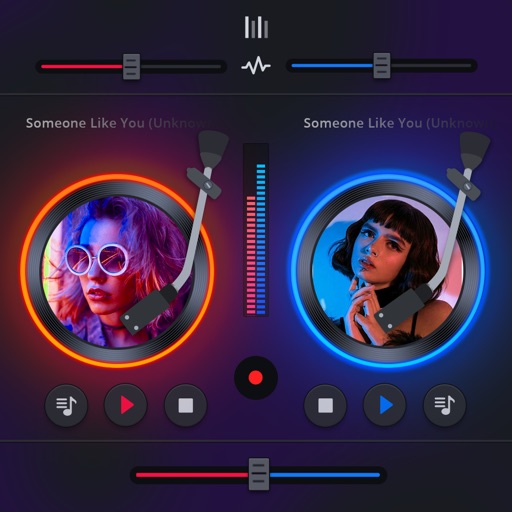
Manage playback with a 3D DJ interface featuring turntables and a 3-band EQ . Access a library to organize files and create custom mixes. Adjust volume and effects in real time during playback. Sync with external devices for live mixing.
Edit and arrange audio samples with multi-sampling capabilities. Stream high-quality samples efficiently. Integrate with iOS production tools like AUv3. Record, playback, and manipulate audio in real time. Export projects in standard audio formats.
Create and edit music with an 8-track sequencer, record loops and melodies, and control instruments in real-time. Use a flexible mixer with DSP effects. Edit tracks via step sequencer and automation.
Create and share music tracks via SoundCloud, Dropbox, or Google Drive. Search for by instrument and genre. Connect with others to collaborate or form bands. View profiles, listen to uploaded songs, and message potential bandmates.
Practice jazz standards with live studio recordings featuring intros and endings. Play along by muting your instrument. Includes backing tracks for piano, guitar, saxophone, trumpet, bass, drums, and vocals.
Create and edit musical scores and tablature with tools for notation and tab editing. Import or start new scores. Share files with collaborators. View and analyze existing sheet music and tablature. Adjust notes, rhythms, and formatting.
Clip songs to highlight favorite parts. Navigate through audio by dragging or tapping. Save for later playback. Share directly with others. Sync across devices.
Play tracks from iPod library. Adjust playback speed without pitch change. Use waveform view to navigate and loop sections. Load favorite tracks for learning by ear.