Apps Like Selfies: Sticker App for iMessage for iPhone and iPad
Create and save custom stickers
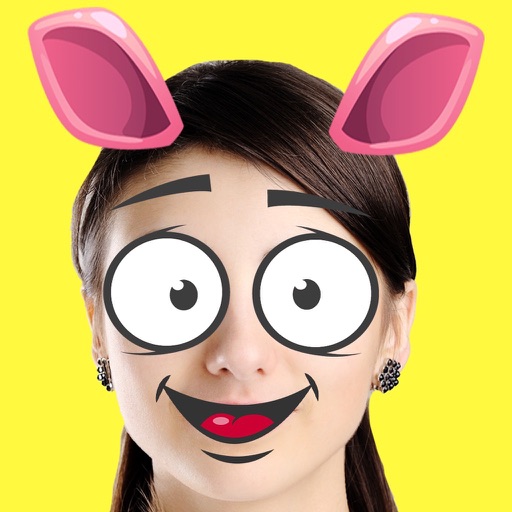
Create and save self-portrait stickers for . Crop or let the do it. Add hats, beards, or sunglasses. Stack multiple stickers on a single image. Share stickers directly in conversations.
by Derek Carter★ 5.01 ratingsStickersFreeData updated 2026-09-11
Send and receive animated stickers in iMessage. Choose from 24 unique high-quality animated stickers. Add expressive reactions to conversations. Share stickers directly within messages.
Customize iMessages with a new . Add stickers to conversations. Choose from a variety of designs. Share stickers with contacts. Edit placement and size.
Send and receive stickers featuring a cute . Add stickers to iMessage conversations. Unlock additional stickers with a one-time purchase. Share and customize sticker reactions.
Search for animated stickers and GIFs from a large library. Share stickers directly from the keyboard or choose from curated reactions. Add stickers to messages or social media posts. Sync with iOS and Android devices.
Edit photos with filters, , and cropping tools. Add text, stickers, and borders. Adjust brightness, contrast, and saturation. Export in various formats and share directly.
Send message stickers in iMessage. Tap to add stickers to messages, photos, or bubbles. Stack stickers in conversations. Scale and rotate stickers as needed. Manage stickers through the drawer.
Add and manage stickers for iMessage. Choose from heart, love, cry, surprised, afraid, and other emojis. Send stickers directly in conversations. Access via iMessage Store and drawer.
Send and receive stickers in iMessage with 189 unique designs. Includes 64 animated stickers. Add stickers to conversations, customize with text, and share directly. Purchase to unlock all stickers.
Use animated stickers featuring characters like disgruntled creepers and Alex and Steve in battle. Add stickers to iMessages or photos. Customize combinations for creative expression.
Use animated stickers to add humor and whimsy to iMessage conversations. Features include customizable expressions, sound effects, and interactive animations. Share stickers across devices and create custom sticker packs.
Add annotations to photos and screenshots using shapes, arrows, and text. Pinpoint locations, circle faces, or hide messages. Resize and rotate stickers by pinching. Place stickers directly in conversations or images.
Create custom emojis by adding eyes, lips, hairstyles, hats, glasses, beards, mustaches, and props. Add text with various colors and fonts. Rotate, move, and zoom and text. Share emojis and memes directly within chats or social media.
Add -themed stickers featuring hats, gear, sayings, and scoreboard numbers. Include emojis and San -themed designs. Share stickers in messaging apps to enhance conversations about .
Create custom memes and stickers from photos. Choose images of animals or funny moments. Add text with custom fonts and colors. Apply outline and background effects. Export to iMessage, Telegram, WhatsApp, Discord, Slack, WeChat, and QQ.
Animated stickers for iMessage. Use free animated GIFs and stickers from the . Search for 'pikaole' on social media to find and download stickers. Share animated content directly in conversations.
Send and receive stickers in iMessage with 240 high-resolution static and animated options. Include 76 free stickers; purchase for full access. Add humor and expression to conversations.