Create , darken, or averaging photos by combining multiple images. Select photos to and adjust settings for optimal results. Export final images and share them directly.
by Osawa Shunsuke★ 4.331 ratingsPhoto & VideoFreeData updated 2026-09-11
Scan documents and crop images. Convert photos to PDF and PDF to other formats. Edit scanned documents. Share files directly. Adjust image quality and layout. Save and export in multiple formats.
Create videos by combining photos and videos with background . Select media files, arrange slides on a timeline, apply transitions, and adjust timing. Export or edit the with built-in tools.
Lets users exchange faces between photos. Users can entire faces or specific features like eyes, lips, and nose. Multiple swaps are allowed in a single . Faces can be copied, saved, and reused in other images.
Create animated videos from text, photos, or both. Add text and images to form stories. Edit elements like transitions and backgrounds. Export and share finished videos directly.
Add date, time, GPS location, and custom captions to photos. Apply stamps directly in the Photos . Share stamped photos via email or social media. Adjust stamp appearance and position.
The app provides numerous effects to transform photos into fantasy images. Users can combine and adjust effects like rings, swirls, and fireworks to create unique pictures.
Faces in photos using AI technology. Select two images, align and blend faces automatically. Edit and share the resulting images. Adjust positioning and brightness for better results. Export edited photos in various formats.
Edit photos and videos with 300+ filters and presets. Apply overlays and adjust colors and brightness. Save edits in multiple formats and share directly. Sync with social media platforms for seamless posting.
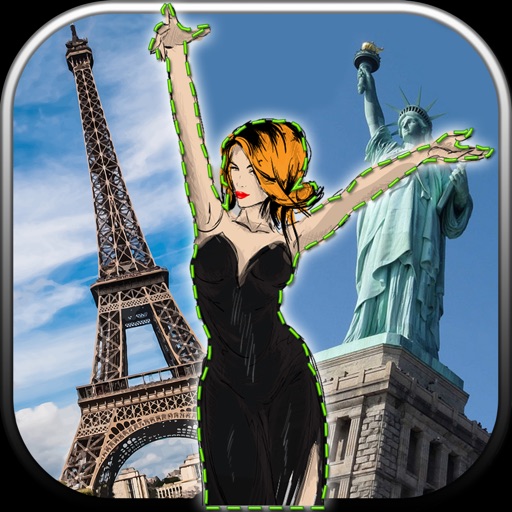
Edit photos by removing unwanted backgrounds and replacing them with scenic images. Cut out subjects and paste them onto new backgrounds. images for seamless montages. Share edited photos directly.
Create AI-generated images and videos from text input. Use pre-designed templates for social media content. Edit and enhance visuals with built-in tools. Share directly to platforms like TikTok and Instagram.
Create 3D photos from regular images by selecting a and applying a 3D effect with one tap. Adjust depth and perspective settings. Export and share the enhanced 3D photos directly.
Convert photos and images between JPG, PNG, and formats. Adjust compression quality for each file. Batch convert multiple images at once. Select destination folder or share directly without complex steps.
Edit photos with 25 tools and effects. Adjust brightness, contrast, and saturation. Save progress and undo changes. Share edited photos to social networks. Preserve EXIF data and edit geo-location. Export high-resolution images up to 3000x3000.
Create collages by combining photos and templates. Add text, stickers, and frames. Choose from various styles and themes. Share finished collages on social media or via email. Edit images with basic tools like cropping and brightness adjustment.