Apps Like Edit Drawer-Drawing & Editing for iPhone and iPad
Draw, , and share images
Photos with filters, adjustments, and effects. Apply blur, focus, and rotation. Add text, stickers, and draw on images. Crop, resize, and enhance photos. Remove blemishes and whiten smiles. Save or share edited images.
by 惠满 贺★ 4.3253 ratingsLifestyleFreeData updated 2026-09-11
The app allows users to add typography, filters, frames, shapes, and stickers to photos. It includes tools to adjust sharpness, brightness, saturation, contrast, RGB, hue, and exposure.
Create and edit drawings using various tools like Pen, Line, Arrow, Rect (Stroke/Fill), Ellipse (Stroke/Fill), Eraser, and Text. Choose from multiple colors including Black, Red, Green, Blue, Yellow, and more. Save or share drawings directly.
Edit photos with reshaping tools to adjust waist, hips, legs, and arms. Retouch skin and add curves or tone muscles. Save and share edited images directly.
Edit videos and photos with AI-powered tools. Transform pets into dancers, animate toys, and revive old photos with dynamic effects. Swap faces and apply age-changing filters. Export edited content in various formats.
Scanned images to editable with automatic border detection and perspective correction. Import photos from Camera Roll, crop selected areas, and edit recognized . Copy, share, or send via multiple methods. Supports English only.
Take selfies with real-time face beautification filters and stickers. Apply and adjust skin tone. Edit photos with tools and export in various formats. Share directly to social media.
Edit photos with retro filters and . Add antique textures and color adjustments. Apply nostalgic styles for a timeless look. Save and share edited images directly.
Edit photos to and acne using a skin copy and paste tool. Select the blemish, copy, and paste over the skin for a seamless effect. Adjust and blend the skin to achieve a flawless result. Export and share the edited photo directly.
Edit photos with filters, effects, and auto retouching. Apply unique styles and vintage looks. Adjust brightness, contrast, and saturation. Add text and stickers. Export and share edited images directly.
The app provides tools to enhance screenshots for clearer communication. Users can draw, add text, crop, and blur sections within an editing suite, with options to undo or redo changes.
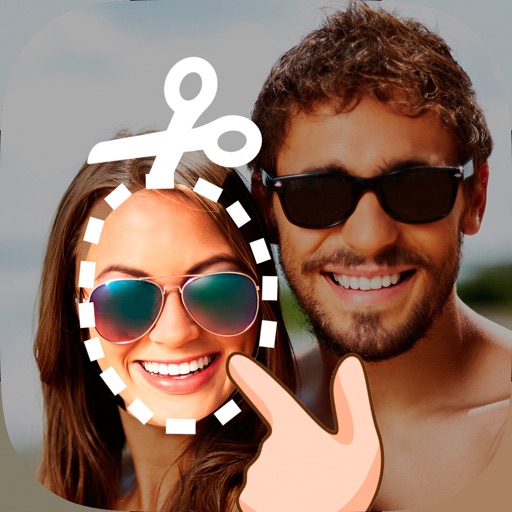
Edit photos by cutting and pasting faces, removing backgrounds, and deleting unwanted people. Add missing faces to photos. Use the silhouette head tool to select and edit elements. Export edited images directly.
Combine multiple photos into customizable frames or collages with 55 adjustable templates. Add rounded corners, effects, shadows, and patterns. Choose colors using an easy color picker. Save projects and share via Facebook, Email, or Twitter.
Create artistic images by masking subjects and separating them from backgrounds. Apply filters to subjects or backgrounds for dramatic effects. Adjust styles and textures to enhance visual impact. Share edited photos directly from the .
Create pixelated photos with customizable frames. Apply blur and black-and-white effects. Adjust touch controls for creative effects. Choose from available frames or customize your own. Export and share the final image.
Remove backgrounds from images using AI-powered tools. Edit photos with filters, cropping, and adjustment options. Add text, stickers, and effects. Export in multiple formats and share directly.
Edit photos with drawing tools, text stickers, and customizable colors. Crop with adjustable ratios. Apply filters and effects to change visual styles. Adjust brightness, contrast, and saturation for professional results.