Stream from a Subsonic server to iOS, CarPlay, Chromecast, or Subsonic Jukebox. FLAC, MP3, AAC, and other formats with lossless and gapless playback. Use a 10-band equalizer with genre and scenario presets.
Control Yamaha network products via Wi-Fi with volume, mute, and power commands. Switch inputs, adjust settings, and stream music tracks from iOS devices to compatible systems. Manage Internet Radio, USB, and FM/AM sources remotely.
Orientation with audio test tones. Tap left or right speaker to confirm placement. Provides instant feedback without removing headphones. Offers simple, quick verification process.
Control mixing, processing, and effects of X18/XR18/XR16/XR12 mixers via iPad. Adjust 18 input channels and 12 buses. Edit 4 stereo effects processors. Access routing, EQ, and dynamics settings. Save and recall mixer configurations.
Record audio and MIDI tracks, mix during playback, and apply effects like reverb and vocal tuning. Add drum tracks, edit songs, and share projects online. Collaborate with others through the Songtree community.
Boost audio quality with equalizer settings and enhancement. Adjust without degrading sound. Support for Bluetooth and wired headphones. Customize sound profiles for different music genres. Sync with devices for seamless playback.
Edit videos by removing wind, hum, and background noise. Adjust volume levels and mute sections. Apply professional audio effects. Export polished audio to Photos for social media use.
Create and customize using 20 musical scales and 12 key signatures. Adjust 7 octave ranges and use 3-finger controls for playback. Share or save creations. Generate original tracks or follow pre-made examples.
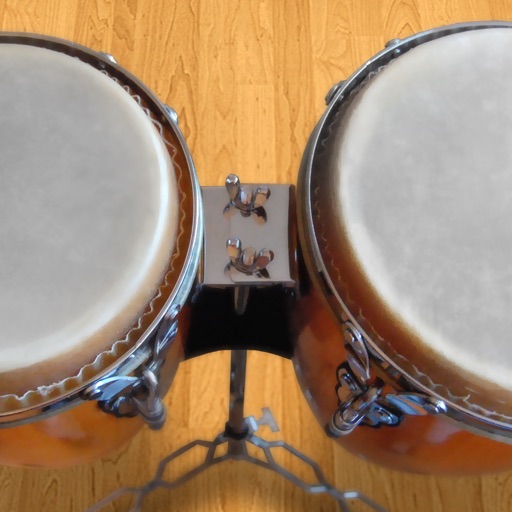
Play conga drums with 18 professionally recorded and mastered sound samples. Include cowbell and sticks for additional percussion. Adjust playing with no latency. Optimized for iPhone and iPad speakers and headphones.
Control music playback by grouping and ungrouping speakers, managing stations and presets, and adjusting volume. Play music wirelessly over without connecting the phone to the speakers.
Remove vocals from audio files to create backing tracks or karaoke. Extract individual instrument tracks from music. Edit audio with built-in tools. Save and share modified files directly.
Adjust audio levels with a for louder playback. Enhance with adjustable settings for deeper sound. Use a 7-band equalizer to customize frequency settings for precise audio control.
Control compatible and Elite devices to play music in individual or all rooms. Adjust volume, select input sources, and manage playback settings. View device status and access playlists directly from the .
Play videos and audio in high quality, both online and offline. Use Apple Watch speaker or headphones for playback. Organize media into folders and sort by name, duration, or date added.
Adjust audio frequencies with a 10-band covering 60Hz to 16kHz. Apply real-time adjustments for bass, mids, and treble. Visualize audio with dynamic graphics. Import and play local files or stream audio directly.