Create long images by automatically stitching horizontal or vertical scrolls. Combine up to 99 photos in waterfall format. Design minimalist postcards with customizable styles. Apply mosaic effects to blur parts of images.
by 芊 彭★ 4.924 ratingsPhoto & VideoFreeData updated 2026-09-11
Take photos with a customizable interval . Adjust angles manually or set the device to capture automatically. Edit images with basic tools and export for social media, messaging, or dating profiles.
Edit photos with auto and drawing tools. Apply 20+ effects and unique shapes. Zoom for high-resolution details. Use brush offset to avoid finger interference. Preview and adjust focus areas. Export edited images directly.
Edit photos using filters, adjustments, effects, blur, focus, rotate, draw, crop, resize, and add text or stickers. Share edited photos across social media platforms. Apply free tools to enhance and customize images.
Create and send custom AI-generated . Choose from various styles and expressions. Edit with text, colors, and effects. Share in messages and social media. Save and organize personal emoji libraries.
Create with custom typography, choosing from vertical and horizontal layouts. Select from multiple background options and frames. Apply various fonts to enhance visual impact.
Create notes as individual cards with customizable fonts, colors, and layouts. Switch between horizontal and vertical card views. Use voice input to record ideas. Set reminders for important tasks. Access notes via widget for quick entry.
Photos by importing from camera roll. Apply effects and frames. Adjust brightness, saturation, and contrast. Crop, rotate, and straighten images. Add text, stickers, and draw. Sharpen, blur, fix red eye, remove blemishes, and whiten teeth.
Edit photos with stretching, squeezing, pinching, and prodding tools to create surreal effects. Apply advanced image manipulation techniques similar to professional software. Export edited images in various formats and share directly.
AI Enhancement improves clarity, enhances colors, and restores details. Sharpen images to reduce blur. Adjust exposure to correct underexposed or overexposed areas. Edit photos with basic tools like cropping and brightness controls.
Edit images with text, annotations, and shapes. Adjust backgrounds using solid colors, gradients, or blur. Resize, crop, and add borders or shadows. Highlight details or blur sensitive areas. Apply styling effects and export edited images.
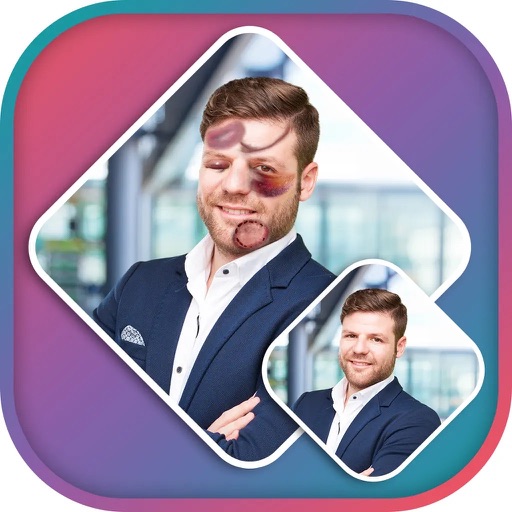
Apply effects to photos using pre-designed styles and stickers. Add -themed overlays and effects. Edit and save modified images directly. Share edited photos through integrated sharing options.
Add vertical text to photos and support horizontal writing. Include ruby annotations with specified formats for kanji and mixed text. Choose from multiple fonts including Hiragino and Yu styles.
Edit photos with resizing, text addition, and customization. Choose from categories like romantic, love, and holiday frames. Apply various effects and save or share edited images.
The app enables the creation of rectangular panoramas by combining horizontal and vertical stitching. Users can also use the integrated image editor to enhance, add text, and crop photos.
Edit photos with one tap using AI-powered enhancements. Adjust brightness, contrast, and color. Add filters and effects. Share edited photos directly to social media or messaging apps. Export in high-definition formats.