Apps Like Griddy Pro: Split Pic in Grids for iPhone and iPad
Post photos in square
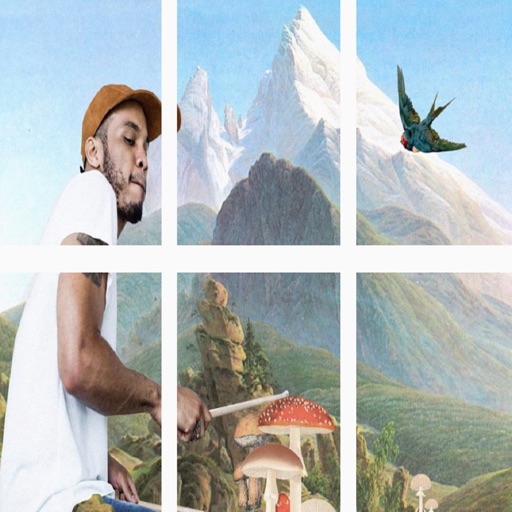
Photos into customizable grid layouts with up to 10 rows. Post to Instagram directly. Adjust grid presets and share images in larger, organized formats.
by keang david★ 4.9128 ratingsSocial Networking$19.99Data updated 2026-11-01
Edit photos with filters, effects, and backgrounds. Create collages and layouts with ready-made designs. Crop and mirror images for social media. Add text and frames. Share edited photos directly to WhatsApp and Instagram.
Create collages by adding photos, text, and stickers to pre-designed templates. Customize layouts, adjust colors, and apply filters. Share finished collages via social media or messaging apps.
Create portraits with vintage photographic effects. Apply four styles including B&W, color, high contrast, and sepia. Adjust eye intensity, grain, and depth-of-field. Supports portrait mode for enhanced background blur.
Create collages by combining multiple photos into one with customizable layouts. Apply one-touch filters for instant effects. Add text, letters, and stickers to photos. Export and share finished collages directly.
Create collages by combining multiple photos using various frame patterns and grid layouts. Apply over 1100 design styles to individual images or collages. Share finished creations directly from the .
Split videos into customizable 15-second clips. Save high-quality clips to the photo library. Choose from predefined durations or set custom lengths. Share clips directly to social media platforms.
Split images into 1x2, 1x3, 2x3, 3x3, or 4x3 grids. Adjust photos by zooming, moving, or rotating. Export high-resolution splits. Post split images directly to Instagram as a single photo.
Record video with and cameras simultaneously using Picture-in-Picture, split screen, or single layouts. Capture triple shots in one click. Save and share recordings.
Create video panoramas from photos. Split images into tiles in various aspect ratios. Post sliced photos as multi-post carousels on Instagram. Adjust tile count up to 5 or 9 for layouts. Support all popular Instagram formats.
Edit photos with filters, filter mix, and creative shape effects. Apply mirror and mask tools. Create photos without cropping. Design grids and add funimate effects. Share directly to Instagram.
Trending-tags provides real-time content updates and tracks trending topics. Users can copy tags to Instagram, search pre-made categories, and add custom tags. AI auto-tags photos with image recognition.
The app provides grid overlays to assist with photo composition. Users can select from five normal and square grids, with the option to save photos in square size.
Add watermarks to media. Repost photos and as Stories or Reels. Schedule posts for later. Edit captions and generate text. Use AI tools for creators. Add hashtags. No login required. Support iOS 13 Dark Mode.
Create social media posts, flyers, collages, logos, and wallpapers with drag-and-drop tools. Use pre-designed templates for Instagram, Facebook, and phone wallpapers. Add text, images, and graphics.
Capture moments with filters and cinematic effects
Capture photos with full manual controls over shutter speed, ISO, and white balance. Apply 35mm filters inspired by Kodak, Fuji, and Agfa. Use cinematic effects to enhance images and preserve memories as -style photographs.