

Apps Like PaintBit App- Pixel Drawing for iPhone and iPad
PaintBit App- Pixel Drawing screenshots
Ranked alternatives
Showing 21–40 of 1,000 ranked alternatives.

Color by Number∘
Impala Studios B.V.
By number, follow the grid
Create custom art by taking a selfie or photo. Select and pixels based on numbers. Share finished artwork on social media. Use magic wand tool for quick coloring. offline without internet connection.

Pixel Color: Paint by Number
MWM
Create art with AI-generated images
Create art by following numbered grids. Choose from pre-designed images or generate custom designs using AI. Adjust colors and save projects. Share artwork directly or export in various formats.

Drawing App Doodle Paint Draw
Mohar Singh
, sketch, and mirror your ideas
Create symmetrical drawings using the mirror tool. Choose from various markers and tools. freely with finger or stylus. Save and share artwork. Adjust canvas size and color options.

Doodle Buddy Draw for iPad
Doodle Buddy Labs, LLC
On images, add stamps, smudge like finger,
On photos or backgrounds with customizable stencils for shapes and patterns. Use over 1400 stamps to decorate artwork. Apply smudge tool for textured effects without touching the screen. Save and share completed drawings directly.

Juxtaposer: cut, combine, edit
Pocket Pixels Inc.
Combine images into photomontages
Create photomontages by combining elements from multiple images. Select and move objects between photos. Add text and effects. Export and share final compositions.

Drawing Pad - apps for Drawing
Minh Nguyen
Draw with pencil, brush, and marker
Draw with pencil, brush, eraser, marker, and pen. Customize brushes with texture and fill colors using a bucket tool. Add text and shapes to drawings. Change backgrounds with color, texture, or images. Use grid for guidance and mirror for faster .

Photo Timer+
Nick Culbertson
Take photos on timed intervals
Take multiple photos with customizable delays ranging from 3 to 60 seconds. Use countdown audio for timing. Choose multiple snap options. Control flash settings. Preview photos and share to social media. Save images directly to the gallery.


Qiks!
Voodoo
Swipe blocks to reveal pixel art
Swipe to fill blocks and reveal hidden pixel art. Avoid touching enemies to progress. Tap to select and move blocks. Complete levels to unlock new images. Track progress and replay levels.
Color By Number! Pixel Art
Virede LLC
Paint boxes by numbers and share results
By Number game allows users to select from 25000+ artwork across 60+ categories. Paint boxes using numbers and a palette. Save and share completed colorings. Daily updates add 500+ new artworks. Includes kid-friendly options.


SketchBook - Drawing Pad
ISMITECH COMPANY LIMITED
Draw, paint, and share your art
Learn to draw any subject. Choose from various colors and customize tools. Save artwork to camera roll. Share drawings on Facebook and Twitter.


Pixel Studio for pixel art
Farida Yarullina
Create art with layers and animations
Create art with layers and animation support. Use a variety of tools for detailed design. Add background music to animations. Export videos in MP4 format. Sync projects via Google Drive. Join a community for feedback and collaboration.

Pixel art editor - Dottable -
Yosuke Seki
Create art with layers and colors
Create art with layer editing, color customization, and drawing tools. Add, delete, and copy layers. Adjust colors and save projects. Requires over 300MB free storage to create new projects.


Color Splash
Pocket Pixels Inc.
Edit photos, convert to black and white,
Edit photos by converting them to black and white while retaining selected details. Use multi-touch gestures to paint areas in black and white or restore original colors. Zoom in and out with two-finger pinching. Adjust and export edited images.
Jurassic Pixel Dinosaur Craft
Free Pixel Games Ltd
Build, breed, and battle dinosaurs
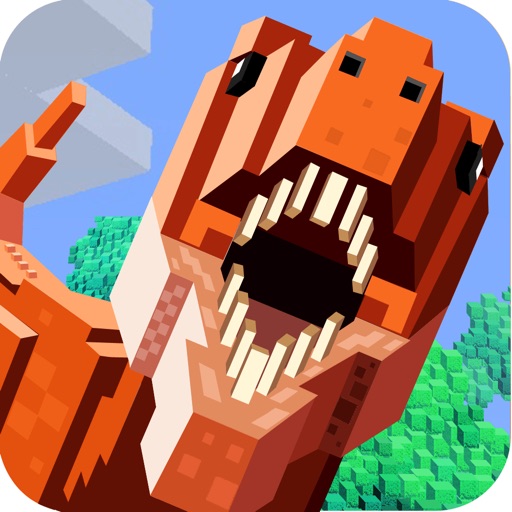
Create and customize dinosaurs by breeding, feeding, and upgrading them. Battle other players in combat matches. Build and design 3D block-style worlds using crafting tools.
How we rank alternatives
Apps are ranked by functional similarity, category fit, rating confidence, and popularity.