Measure horizontal and vertical angles with precision. Set reference points and receive haptic feedback for alignment. Mark reference points and adjust settings for accurate measurements.
by Mert TUZER★ 4.625 ratingsUtilitiesFreeData updated 2026-09-11
Measure objects in photos using rulers and scale tools. Save and organize measurements with timestamps and notes. Export data as PDF or share directly. Sync measurements across devices.
With customizable buttons featuring color selection, goal tracking, and or countdown modes. Set step sizes and create widgets for home screen access. Includes haptic and acoustic feedback with optional in- donations.
Measure objects using screen or AR camera for precise dimensions. Switch between inches, centimeters, and millimeters. Capture and save measurements for later reference. Share results via email or messaging.
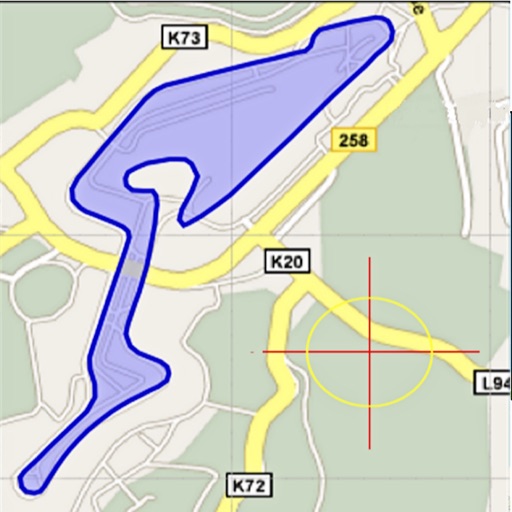
Area, lengths, and angles on maps using an interactive crosshair. Trace outlines to create connected points, updating area and perimeter in real time. Adjust radius for scaling features. View dynamic length and angle as you move the crosshair.
Measure vertical angles and tilt using a digital bubble . Calibrate the sensor for accurate readings. Share measurements via email or messaging apps. Sync data across devices using the URL scheme.
Access project data including station, alignment, and offset details. View location-based records from bid to close. Share pictures, chats, and e-tickets. Collaborate with experts for support and configuration.
Detect hidden structures in walls using advanced magnetometer technology. Identify studs, screws, nails, and metallic objects. Locate optimal mounting spots for TVs and shelves. Provides precise detection for accurate installation.
Calculate for horizontal and vertical cylinders with flat heads, rectangular tanks, and horizontal vessels. Input dimensions and liquid height to get accurate results. Export calculations and share data directly.
The app offers a simple and intuitive calculator with features like undo/redo, keyboard trackpad mode, and basic graphing. It supports dynamic type and is accessible.
Customize session and durations. Track daily and all-time completed sessions. Receive interactive notifications to continue, pause, or stop the . Enable haptic feedback and use Siri Shortcut for automation.
Dualsense effects via Bluetooth connection. Adjust force feedback settings and preview haptic responses. View pressure levels and customize sensitivity parameters.
Measure tilt angles using device motion. Access a , surface , and camera features. Large buttons improve visibility. Flashlight enables use in low-light conditions.
Calculate sides and angles for right-angled and scalene triangles. Access a reference guide for formulas. Perform precise calculations using known values.
Distances and areas on satellite maps. Select points to calculate length or size. Save measurements and share results. Compatible with various map views and zoom levels.
Measure ambient noise and levels in real time with readings and graphical displays. Track noise exposure over time using NIOSH or OSHA standards. View numerical and visual representations of levels.
Measure tilt angles from 0 to 359 degrees. Display in degrees, percentage, and sum angles for 180 or 360 degrees. Switch to theodolite mode and set specified angles to 0 degrees.
Measure surface areas by capturing points on a flat surface via camera. Calculate or object dimensions with customizable shapes. Save and share measurement results. Sync measurements across devices.