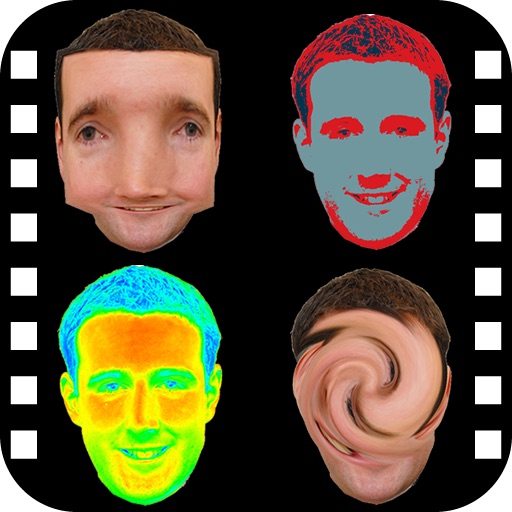
Create digital art with drawing and painting tools. Use a wide range of brushes and customize settings for precise control. Add motion with animation tools and motion paths. Utilize symmetry guides for balanced designs.
Edit photos with advanced tools like layers, masks, and adjustment brushes. Crop, rotate, and resize images. Add text, stickers, and special effects. Export in various formats and share directly.
Control your Mac or Windows PC with an iPhone, iPad, or Apple Watch. Use as a trackpad, keyboard, or remote control. Perform actions with touch or motion gestures. Access a companion on Apple Watch for additional controls.
Edit photos with a wide range of effects, from basic adjustments to advanced graphic transformations. Repaint images using various brushes and import Photoshop brushes. Share edited photos on Instagram with the # tag.
Edit photos by removing backgrounds from portraits and creating posters and wallpapers. Use cartoon face filters to transform appearances into webtoon-style characters. Choose from templates to enhance images and share them directly.
And undo in images using AI. Compare edited and original versions. View images in a single interface for detailed analysis. Change hairstyles and add layers. Add emotional expressions to images. No ads. Requires a face in the .
Add to photos with customizable fonts and styles. Place objects for creative effects. Create posters, covers, and invitations. Edit and share edited images directly.
Upload artwork to generate mockups in interior design settings. Customize colors, frames, and layouts. Share mockups to Instagram, Etsy, and other social media platforms.
Create 3D scenes with multiple characters or simple shapes to visualize sketch outlines. Generate storyboards via screenshots or frame comic book illustrations. Adjust light and perspective for anatomically accurate figures.
Create mockups by uploading screen captures and selecting device templates. Add 3D rotation, background, shadow, shift, scale, and canvas adjustments. Choose different models, angles, and backgrounds.
Edit photos with advanced filters, color adjustments, and mathematical transforms. Apply custom brushes and import Photoshop brushes, curves, and fonts. Repaint images and export in various formats. Share edited work on Instagram.
Apply effects to photos. Share edited images on Facebook, Twitter, WhatsApp, and Instagram. Adjust settings to customize the appearance. Save and export modified photos.
Create composite faces by blending selected photos. Choose images from the Photos Library, adjust blend settings, and share the result. No image data is stored.
Allows users to their iPhone to a TV over WiFi. Users can connect both devices to the same network and stream content in real time. The supports mirroring for videos, photos, and presentations.