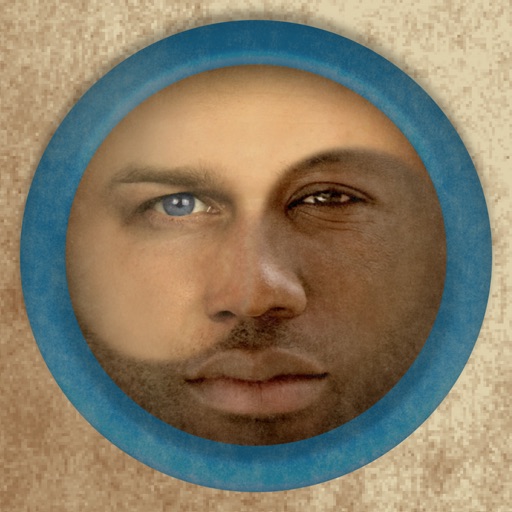
Create composite faces by blending selected photos. Choose images from the Photos Library, adjust blend settings, and share the result. No image data is stored.
by Kobi Snir★ 1.342 ratingsProductivityFreeData updated 2026-09-09
Faces in photos and videos using AI technology. Apply funny filters and edit images. Generate AI avatars and create -swapped content. Preview hairstyles and edit photos with customizable effects. Share finished content directly.
The app joins photos vertically, horizontally, or in 2D by blending or abutting them. Users can edit individual photos or the blend output in the image editor, supporting up to 16 photos.
Edit photos by copying, pasting, swapping, flipping, and rotating faces. Apply effects to create realistic and humorous results. Save and share edited photos directly from the .
Edit photos by overlaying multiple images. Adjust blending modes and exposure settings. Access a collection of pre-designed overlays and effects. Save and share the final mixed image.
Faces allows users to overlay their on various funny images. Users can select from 12 categories and 300+ photos. They can take a selfie or upload an image and place their on the selected .
The app allows users to combine two face photos from their library or camera. It automatically detects faces to create blends that produce humorous results.
Two photos to create a double exposure effect. Adjust blending modes and positions to merge images. Apply filters and share results on social media platforms like Instagram and Facebook.
Edit photos using masks and blend modes. Combine images with multi-exposure settings. Apply filters from other apps with adjustable intensity. Add or replace objects and textures. Create custom filters with overlays. Add watermarks or logos.
Edit photos with 12 blend modes including overlay, multiply, difference, and exclusion. Combine foreground images from a growing library of over 400 options. Export and share edited creations.
Edit photos with AI to replace faces and create memes or greeting cards. Use high-quality morphing for realistic results. Detect if an image is real with AI image analysis. Access templates of celebrities, historical figures, and memes.
Edit by blending images from the gallery or combining them with existing templates. Adjust exposure and color to create double exposure effects. Save and share the final edited image.
Create funny morphs by selecting two photos. one to another and swap to reverse the effect. Adjust intensity and save results as single images or collages. Supports multiple photos.
Create a custom image by selecting two parent photos and generating a . Apply filters to photos to replace faces with features. Share generated images directly.
Create morphs by blending faces in steps to transition between two images. Generate GIFs and videos of the process. Share the created content directly with others.
Merge faces to create humorous mixed images with friends, family, or celebrities. Adjust facial features and proportions. Share results via email, MMS, Facebook, or Twitter. Use preloaded example pictures or upload photos.
Create videos using personal photos and . Select images from the Photo Library, apply transition animations and set frame durations. Save videos to the Photo Library or share them directly.
Edit photos with facial reshaping, body adjustments, and makeup tools. Apply filters and try on hairstyles and hair colors. Preview haircuts and get beauty advice. Save and share edited images.
Edit photos with filters, cropping, and brightness adjustments. Add text, stickers, and frames. Create collages and enhance images for social sharing. Trim and cut videos. Export in multiple formats and share directly.
Edit photos by selecting, cutting, copying, and pasting elements like faces or objects. Automatically remove backgrounds and add text overlays. Apply effects, save edits, and share photos directly.