Use machine learning to enhance selfies with filters, effects, and pose adjustments. Edit photos by adjusting brightness, contrast, and skin tone. Share edited images via social media using the #shakyapp hashtag.
by Denis Karpenko★ 5.02 ratingsEntertainmentFreeData updated 2026-09-10
Edit photos with border, frame, text, and sticker options. Add custom textures or personal photos as design elements. Use high-resolution stickers to enhance creations. Export edited images in various formats.
Browse a library of pose, , and gesture for photography. Filter images by style or theme. Add creative filters to photos. Save and share edited images directly.
To remove motion blur and sharpen details. Denoise images to eliminate grain and noise. Upscale resolution for clearer, sharper visuals. Edit colors, contrast, and brightness. Save and share enhanced images directly.
Edit photos with filters inspired by 70s, 80s, and 90s film cameras. Add light leaks and dust overlays. Adjust brightness, contrast, and saturation. Save edits in various formats and share directly.
Edit photos with filters, background removal, and object replacement. Apply aesthetic filters and place into stylized templates. Record and edit with AI enhancements. Share edited content directly.
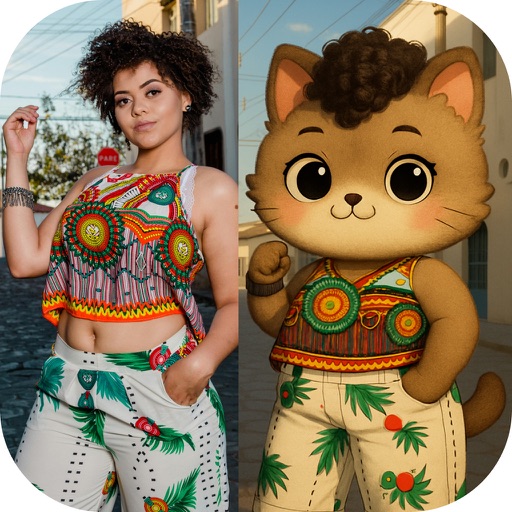
Generate images of Dolls by uploading photos of people, pets, or objects. Use AI to transform images into the playful style. Customize doll designs with different poses and accessories. Share generated images directly to social media.
Edit photos with filters, cropping, and adjustments. Enhance images using AI restoration and retouching tools. Generate photos from text prompts. Create full themed shoots with one click. Swap faces and styles.
The app provides photo editing tools with a simple design and powerful editor. Users can add textures, stickers, and frames to photos and enhance images with various filters and adjustments.
Edit photos with AI-generated styles, outfits, and backgrounds. Apply filters, adjust colors, and refine details for realistic results. Save and share edited images directly.
Edit photos with AI-powered restoration for faded, damaged, or blurry images. Enhance photos to professional quality with automated adjustments. Remove unwanted objects and reimagine compositions using advanced tools.
Edit photos with background blur and cinematic movie backgrounds. Adjust aspect ratios and preview compositions in real time. Apply filters and effects before and after shooting. Share edited photos directly to social media.
Edit photos with Polaroid-style frames and film filters. Apply vintage color tones and grain effects. Add text and stickers. Export images in various formats and share directly.
Identify and remove duplicate selfies and blurry images. Scan device to find or exact duplicates. Organize gallery by deleting unwanted photos. Recover storage space efficiently.
Edit photos to increase resolution and clarity using AI. Enhance image quality by removing backgrounds and upscaling for printing. Save and share improved photos directly.
Restore and enhance photos for tombstones, funeral posters, and obituaries. Correct faded colors and blurred details. Remove imions and adjust brightness. Export edited images for printing or sharing.