Teachers and students can wirelessly mirror content, ideas, and apps from their devices to a shared display. Share notes, presentations, and interactive content in real time. Collaborate during lessons and presentations.
by Promethean★ 3.012 ratingsEducationFreeData updated 2026-09-10
Stream talks, search library, download for offline
Stream talks and guided meditations. Search the library by talks, teachers, and retreats. Download content for offline listening. Star favorite talks, teachers, and retreats.
Create complete courses AI-generated lessons, quizzes, flashcards, exercises, and exams. Ask AI for instant deep dives and listen to audio versions. Earn certifications to validate skills quickly.
View conference schedules, speaker details, and exhibitor information. Take notes during presentations and draw on slides. Share notes and messages with other attendees.
Students can take tests directly within the to practice English. Review vocabulary and grammar topics. Access offline content without an internet connection. Track progress through built-in assessments. Refine writing skills with in- exercises.
View conference schedule, presentations, exhibitors, and speaker details. Take notes on slides, posters, and exhibitor content. Draw directly on slides. Share notes via in- messaging, email, and social media.
Access student data for real-time decision-making. Search for students in the administrator’s school or district. View student photos, profiles, and contact information. Integrate with devices to email, call, or map student locations.
The app provides a kinesthetic experience for students to understand graphs through real-time motion graphing. It allows users to choose between position and velocity curves and discuss their relationships.
Wirelessly iOS devices to Adafruit LE modules for project control. Send sensor and GPS data via Bluetooth LE. Control directional inputs and Arduino pins. Transmit and receive messages in Hex or ASCII formats. Communicate with CircuitP devices.
Access talks from various traditions and teachers. Search for talks, download, and share them. Add notes, create playlists, and track community listening activity.
Receive real-time alerts and notifications synced with Schoolbox. View important school updates and announcements. Collaborate with teachers, parents, and students through integrated communication tools.
Create professional-looking presentations with customizable templates. Add text, images, and animations. Edit slides, update content, and share presentations online or via email. Export in various formats for viewing and printing.
Students can complete homework assignments, take practice tests, and track progress. Teachers can assign lessons, monitor performance, and conduct formative assessments. Features include interactive exercises, instant feedback, and progress reports.
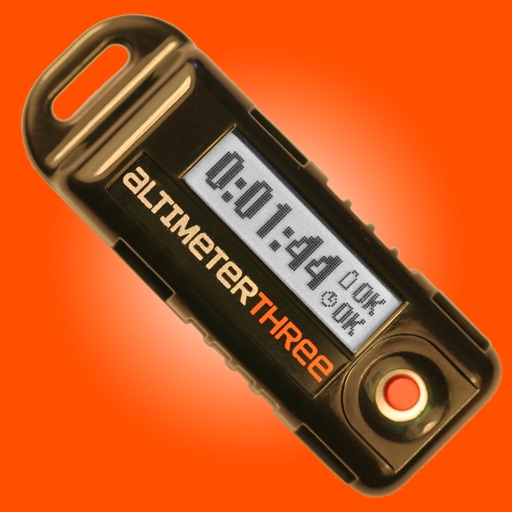
The app connects wirelessly to AltimeterThree using Bluetooth to display battery level and status. It downloads and displays interactive graphs of altitude and acceleration after flight, and can share flight data for analysis.
Access school and class news, announcements, and event calendars. View maps and staff directory. Use student tools like My ID, My Assignments, Hall Pass, and Tip Line. Translate content into multiple languages.
View conference schedules, presentations, exhibitors, and speaker details. Take notes next to slides and draw directly on them. Save and organize notes within the .
Access news, view event calendars, and retrieve online resources. Parents, students, and teachers can stay updated with announcements and educational tools. Administrators can manage and share information efficiently.
Manage school communication with real-time updates on class and school activities. Teachers can send messages to parents and students. Parents can view schedules, assignments, and announcements.
Access and view content on iPad. Convert PowerPoint slides to interactive presentations and eLearning materials. Include animations, voiceovers, and videos. Enable feedback collection and progress tracking during presentations.
Offers visual explaining mathematical concepts. Users can view short, focused explanations of basic principles. Teachers can use it in classrooms to demonstrate topics. Students can explore visual representations of ideas.