Resize and crop photos in batches, adjust dimensions, rotate, or delete multiple images at once. Save edited photos to camera roll, email, or Dropbox. Customize resize settings and export to a working directory without altering original files.
by Koichi Otera★ 4.3100 ratingsPhoto & VideoFreeData updated 2026-09-10
The app allows users to add text captions to photos and share them. Users can select from 78 custom fonts and 41 layer effects, including banners, thought bubbles, frames, and emojis, to enhance their captions.
Photos to reduce file size without quality loss. Resize images for social media, email, or web. Crop photos to adjust framing. Save and share optimized images directly.
Edit photos with HSL adjustments for precise color control. Resize images to fit various frame ratios or remove frames. Add blur effects to backgrounds. Create collages from multiple photos. Apply filters, crop, and adjust brightness and contrast.
The app allows users to post full-size photos and videos to Instagram without cropping. Users can move, rotate, scale, and flip media, and apply filters, stickers, and text.
Resize and crop images with precise aspect ratio control. Batch process multiple files for efficiency. Export in various sizes including @2x and @3x. Edit metadata and prepare images for social media or professional design use.
Resize images in pixels, millimeters, centimeters,
Resize images by specifying dimensions in pixels, millimeters, centimeters, or inches. Maintain aspect ratio by linking width and height fields. Save, email, print, or share the resized .
Photos and videos using AI to expand images, remove objects, and replace or blur backgrounds. Enhance image quality, restore old photos, and create AI-generated scenes. Share edited content directly to Instagram.
Print photos from your phone and pick them up at CVS or Target in 1 hour. Select and crop images, choose size and quantity, submit orders, and check status without registration or payment.
And photos in JPEG or PNG formats to specific pixels, percentages, or proportions. Adjust image size for social media platforms like Facebook, Twitter, and Pinterest. Maintain quality during resizing and batch multiple images.
Photos to save storage space. Adjust JPG compression strength and image size reduction. single images, multiple files, or entire albums. Preview compressed results before saving.
Resize images by adjusting height or width while maintaining aspect ratio. Compress files to reduce size. Save to camera roll, Files , or share via email, printer, and other native options.
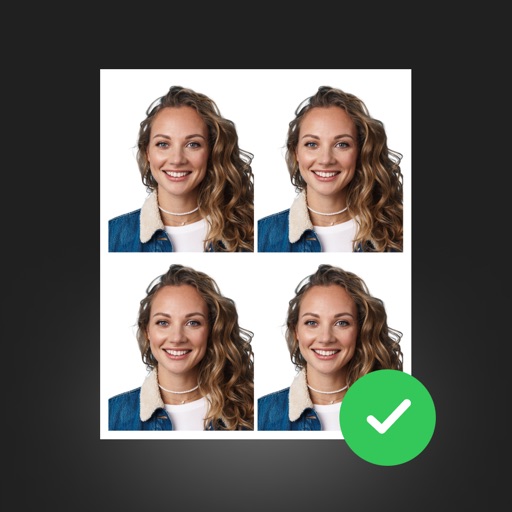
Create professional ID photos with AI tools. Automatically detect faces and remove backgrounds. Resize and crop portraits to fit official sizes. Support multiple countries' requirements. Generate printable -sized images for children and adults.
And multiple images at once. Adjust quality settings to balance file size and clarity. Export compressed files to cloud storage or device folders. Free up disk space without removing original photos. Improve upload speeds for smaller file sizes.