Access presentations, slides, and posters from the . Draw and highlight on slides with finger input. Take notes alongside each slide. Notes are saved online and accessible through a personal summary.
by American Academy of Pediatric Dentistry★ 4.6326 ratingsEducationFreeData updated 2026-09-10
Create and review flashcards with swipe gestures to flip . Draw notes freely with finger or Apple Pencil. Hold to flip card over. Shake for random card. Swipe down to cancel or up to delete.
Access conference programs, schedules, and session details. Build a personal daily schedule. Receive reminders and updates. Take notes, bookmark, and filter content. Engage with peers and network. Search for specific information.
Read digital textbooks online or offline. Highlight and annotate text. Share personal notes. Access interactive learning tools. Sync with 2 publications.
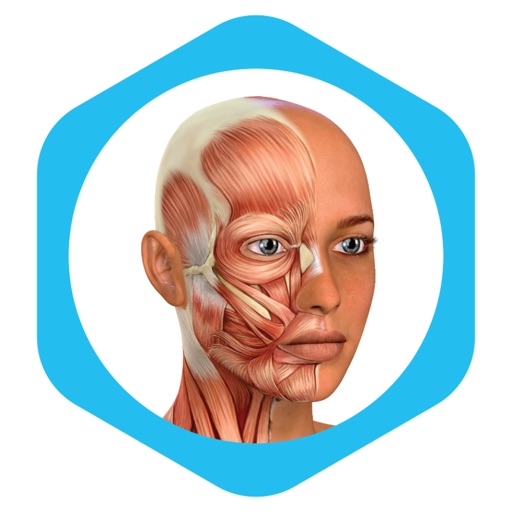
Create and publish interactive educational posters with social media links. Share posters directly from the . Access teaching licenses for multi-user use. View detailed anatomical diagrams and 3D models.
Engage students in financial learning experiences.
The Stock Market Game app syncs with student team portfolios. It provides account summaries, pending transactions, transaction notes, and market news, allowing teams to look up ticker symbols and enter trades.
Train observation and anatomy skills with timed figure sessions. Select pose duration, choose from photo galleries, and start immediately. A summary displays performance after each session.
The app offers a digital canvas for idea sharing and distance learning. Users can annotate and sketch on a whiteboard or over live video, import images, and manage saved whiteboards.
Take notes with a blank notepad or annotate slides. Highlight, mark up, and organize content as desired. Import or record lectures. Generate AI notes from recordings. Access AI-powered learning tools for personalized study support.
Mobile presentations and e-Learning courses anywhere.
The app provides comfortable playback of presentations and e-Learning courses on mobile devices. Users can download content for offline viewing and access previously viewed items from the Library.
Take secure online assessments in a single session without interruptions. View test results in full after completion. Prevent screen recording, navigation away from the test, and pasting answers. Supports technology enhanced items.
Access class notes, guides, lecture slides, and past exams organized by course and semester. Use AI to summarize lectures, create flashcards, generate practice tests, and chat with PDFs. Join virtual sessions for real-time collaboration.
Learn through interactive slides, quizzes, matching exercises, and anagrams. Study anatomy, physiology, pathology, diagnostic testing, and treatment. Test knowledge with practice questions and review key terms for better retention.
Write essays, reports, and presentations using AI-generated content. Input prompts and refine suggestions. Cite sources and format documents. Export in various file types and share directly.
Access live online services and weekend gatherings. Take and save message notes. Watch or share past messages. Register for events and serving opportunities. Submit and pray over prayer requests. Find and view small group details.