Select photos and adjust layout, size, and position. Apply filters, rotate, flip, and modify brightness, saturation, and contrast. Add borders with customizable size and color. Share edited photos directly to Instagram, LINE, Twitter, and Facebook.
by Ode Tomoyasu★ 4.536 ratingsPhoto & VideoFreeData updated 2026-09-10
Edit photos with skin smoothing and whitening features. Adjust enhancement levels from 1 to 8. Apply 12 unique filters for enhanced selfies. Add makeup tools for detailed facial enhancements. Save and share edited images directly.
Edit videos with rotation, scaling, and cropping tools. Add borders and frames for square format. Trim clips and share directly to Instagram, Facebook, or Vines without cropping. Apply blur to background for enhanced visuals.
Take black and white photos with live preview. Use colored lens filters and professional conversion settings. Adjust contrast, brightness, and exposure in real time. Add film grain and black vignetting. Export images to social media and email.
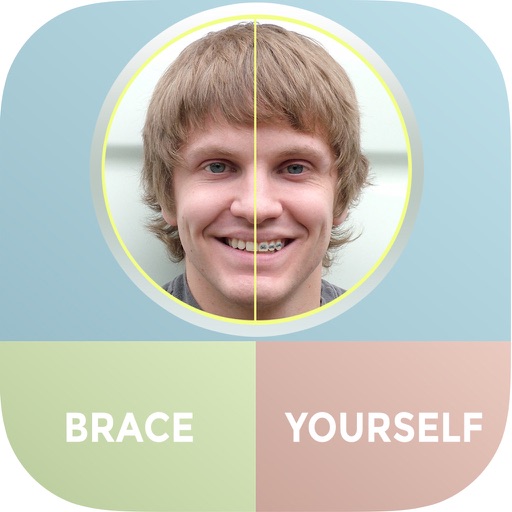
The app allows users to see themselves with braces using their iPhone and iPad. Users can add multiple sets of braces to photos and share them via Facebook, Twitter, or email.
Apply live filters to enhance photos with effects. Adjust color tones and add vintage textures. Share edited images directly to Instagram. Save and view photos with analog-style filters.
By applying AI-based colorization, repair, enhancement, and upscaling. Adjust brightness, contrast, and clarity. Remove scratches and red eye. Save and share edited images directly.
Divide panorama photos into square pieces. Share to Instagram, Twitter, Line, and WeChat. Crop images easily. Use seven grid layouts including 12, 13, 22, 23, 33, 43, and 53. Adjust FillMode with dimensions from 1x1 to 10x10.
Take photos and videos with 9 customizable effects including smile enhancement, face stretching, and character transformations. Adjust effects on-screen. Share images and videos via email, Twitter, or Facebook.
Edit photos with retro stickers, texture filters, and local additions. Adjust brightness, contrast, and saturation. Save edited photos with memory storage features. Share edited images directly.
Edit photos with PIP frames, collages, and creative layouts. Add crystal bottle patterns and cartoon styles. Share edited photos directly to social media. Adjust brightness, contrast, and colors. Crop and rotate images.
Add a to enhance images with dozens of beautiful and backgrounds. Choose from various background colors and filters. Adjust contrast, brightness, color temperature, sharpening, saturation, and color balance. Add text watermarks to photos.
Add pointers, , and descriptions to photos to enhance storytelling. Choose from 7 expressive pointer designs. Adjust size and position of pointers. Automatically optimize text legibility. Save photos to your device or share via Instagram.
Edit photos with skin smoothing, wrinkle removal, and blemish reduction. Adjust makeup intensity and highlight areas. Apply filters for natural or enhanced looks. Save and share edited images directly.
Guangzhou Mengdong Information Technology Co., Ltd.
Capture moments with trendy retro filters
Capture photos with artistic film themes featuring retro aesthetics and trendy elements. Apply unique color filters and textures. Customize styles for different occasions. Share edited photos directly.
Edit photos with effect and features. backgrounds and apply black-and-white conversion. Select areas for contrast. Zoom with two-finger pinching. Adjust brush size, opacity, and offset. Export edited images.
Edit photos, adjust features, and transform appearance
Edit photos and videos with AI-powered shape and style adjustments. Change hair color, shape, and facial features. Apply filters and effects. Share edited content directly.