Create 3D structures by applying to draw circles that expand with force. Use 3D Touch to generate random color profiles and explore sensitivity. View dynamic color changes and interactive drawing effects.
by Ben Slaney★ 4.820 ratingsEntertainmentFreeData updated 2026-09-10
Create art with hand-drawn illustrations by Olivia De Bona. Choose from 50+ exclusive designs. Use tools to , sketch, and customize images. Save and share completed artwork. Adjust brush size and opacity for detailed work.
MUHAMMED ARAFA ARAFAS BILISIM VE YAZILIM SISTEMLERI
Generate images with AI
Create images from text prompts using AI. Adjust style, color, and composition. Save and share generated images. Access a library of AI-generated art. Collaborate on creative projects with others.
The app offers a simple and intuitive calculator with features like undo/redo, keyboard trackpad mode, and basic graphing. It supports dynamic type and is accessible.
Create AI-generated art from text prompts and selected styles. Upload photos or sketches to enhance images. Edit generated art with tools like color correction and layer adjustments. Save and share final artwork in various formats.
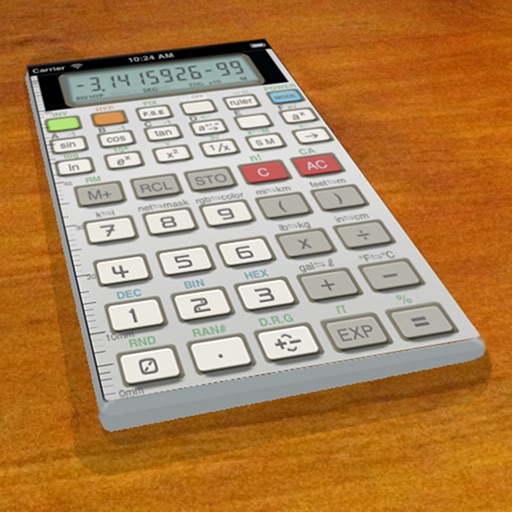
A vintage-style scientific calculator with a retro LCD display and realistic key sounds. Perform basic and advanced calculations, use shift functions, and access additional modern features like parentheses and memory storage.
The app offers multiple timers, including repeating and interval options, alongside a stopwatch. It features text and color labels, one-touch timer addition, and widgets for status bar and dock icon integration.
Create intricate drawings with customizable symmetry, background color, and brush settings. Apply shadows and use predefined patterns or images for inspiration. Export and share finished designs.
Create and manage custom strategies with money, shop, and upgrades. Navigate through multiple checkpoints and handle random events. Customize gameplay with drawing elements and strategic planning.
Control on-screen motion by touching and dragging to create fluid movement. Interact with glowing particles and light effects. Play mini-games for a calming experience. Adjust settings for personalized relaxation.
Solve puzzles by drawing a single line to guide a car across challenges. Create unique bridges with creative designs. Complete 150+ levels to train problem-solving skills. Adjust line thickness and color for customization.
The app displays photos with various effects and transitions. Users can choose between random or ordered photo display and select transition durations and types.
Children can draw using step-by-step templates in cartoon and kawaii style. They can choose colors, add stickers, and save their artwork. The includes guided exercises and a safe, child-friendly interface.
The app provides a virtual art set with realistic tools for painting and drawing. Users can create art with various media, import photos, and export their creations.
Fire cannon to block statues. Play through hundreds of levels and structures. Use one-tap controls to launch projectiles. View detailed visual effects and animations during gameplay. Track progress through increasing difficulty.
Customize crosshairs and adjust sensitivity for precise
Game Optimizer allows customization of crosshair designs and colors for precise aiming. Adjust sensitivity settings to control touch responsiveness and DPI. Train aiming skills with adaptive exercises tailored to sensitivity preferences.
Teaches drawing through step-by-step voice guidance. Allows toddlers to create drawings and animate them. Includes interactive scenes and talking characters for engagement. Enables coloring and drawing on a virtual canvas.
Solve puzzles by dragging lines to untangle them without overlaps. Complete 90 designed puzzles or generate infinite random ones. Touch dots to manipulate lines and progress through levels.
The app calculates properties for triangles, trapezoids, and circles. It accepts various input formats for angles and lengths, displaying results in the chosen format.