Browse presentations, speaker details, and event resources. View session slides and annotate with drawings and highlights. Take notes per slide and save them online for access through your personal summary.
by American College of Gastroenterology★ 4.6991 ratingsEducationFreeData updated 2026-09-10
Create parks by designing rides and attractions. Place characters in the for interactive gameplay. Build slides, Ferris wheels, and other structures. Develop creativity and fine motor skills through open-ended construction.
Create and share event agendas tailored to participants. Include an interactive venue map. Upload and share documents. Send instant notifications. Stream presentations in real-time with annotation features.
Explore 3D models to study nerves, vertebrae, and cranial structures. Rotate and zoom to examine anatomical details from multiple angles. Watch animations explaining muscle contractions.
Review schedules, connect with peers, stay updated
Review event schedules and session details. Interact with peers through messaging and discussion boards. Access real-time updates on event activities. Connect with the association for resources and networking opportunities.
Manage medical appointments by viewing schedules and confirming visits. Access online menus to order food and view past orders. Receive notifications about special promotions and updates.
Browse event schedules to plan daily activities. Create personalized session lists. Use interactive maps to navigate venues. Receive real-time updates and safety alerts. Take and save notes during sessions. Link to FFA.org for additional resources.
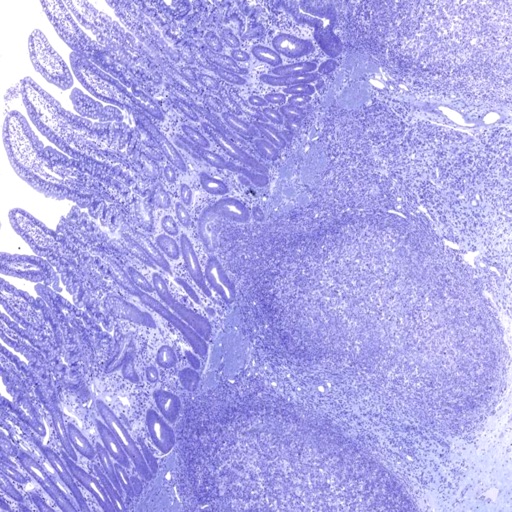
View ultra-high-resolution images of tissue samples. Zoom in and pan across microscopic slides. Access detailed annotations and labels. Search for specific tissues or structures. Compare images side-by-side.
Summarize notes with AI-generated summaries and flashcards. Solve math problems and explain concepts. Prepare for exams with practice questions and study schedules. Track progress and receive feedback on understanding.
Attend sessions via email or web link. Interact in real-time with audio, screen sharing, and guided presentations. Collaborate in virtual classrooms and web conferences. View web tours and participate in discussions.
Create an account to add friends to a Cause Circle and schedule prayer requests. Use conversation slides to guide discussions about the gospel and invite others to trust in Jesus. Share visually compelling content to initiate spiritual conversations.
The app offers a digital canvas for idea sharing and distance learning. Users can annotate and sketch on a whiteboard or over live video, import images, and manage saved whiteboards.
The app allows users to view 35mm negatives and slides. Users can select a white background or a background that only shows white where the negative or slide is placed.
Learn histology with interactive slides and quizzes. Explore 19 main topics and 148 subtopics. Identify 2179 slides based on photomicrographic images. Test knowledge with built-in assessments. Access content offline without internet connection.
Access sermons and Bible content for offline listening. Watch and listen to messages on-the-go. Register for events and read blog articles. Donate to ministries and take notes during services. Browse ministries for gospel-centered resources.
Train observation and anatomy skills with timed figure sessions. Select pose duration, choose from photo galleries, and start immediately. A summary displays performance after each session.
Access sermons filtered by speaker, topic, or series. Stream music, videos, and blogs. Read daily devotions, books, and commentaries. Search and organize content for personal or group study. Share resources via social or email.
Read digital textbooks online or offline. Highlight and annotate text. Share personal notes. Access interactive learning tools. Sync with 2 publications.